You have a new IoT project on your desk. Your engineering team asks for an ESP32 module, but you see two very similar options on the market. You are confused about which one to buy, and making the wrong choice now will stop your production line later.
The main difference is memory capacity. The ESP32 WROOM is the standard module for basic control tasks. The ESP32 WROVER is the same module but with an added PSRAM chip. You must use WROVER for applications involving voice processing, cameras, or large color displays.

I see this confusion happen every week with my clients. A procurement manager looks at the price list. He sees the WROOM is cheaper. He buys five thousand units. Then, the engineering team tries to load a voice recognition algorithm. The system crashes immediately. The chips are useless for that project. I want to help you avoid this waste. We will look at the technical differences, the specific use cases, and how to make the right buying decision for your business.
What Is the Technical Difference Between WROOM and WROVER?
You look at the datasheets and they look almost identical. The pin layout is similar and the main processor is the same. You might think you can swap them easily, but this assumption is dangerous for your project.
The WROVER series includes a Pseudo-static RAM (PSRAM) chip inside the metal shield. The WROOM relies only on the internal 520KB of SRAM. This extra chip in the WROVER gives you 4MB or 8MB of external memory.

I want to break this down so you understand the hardware reality. The ESP32 chip itself is powerful. It has Wi-Fi and Bluetooth. It has a dual-core processor. But it has a limit. That limit is the internal memory. The internal memory is like a small backpack. It is very fast, but it can only hold a few things. This is the 520KB SRAM found in the WROOM.
When you move to the WROVER, the manufacturer adds a separate silicon die inside the package. This is the PSRAM. It connects to the main ESP32 chip using an interface called SPI or QSPI. It is like adding a large moving truck behind your backpack. It is a little bit slower than the internal backpack, but it holds much more data.
Here is a simple comparison of the specifications:
| Feature | ESP32 WROOM | ESP32 WROVER |
|---|---|---|
| Main Processor | Xtensa® Dual-Core 32-bit LX6 | Xtensa® Dual-Core 32-bit LX6 |
| Internal RAM | 520 KB SRAM | 520 KB SRAM |
| External RAM (PSRAM) | None | 4 MB or 8 MB |
| Flash Memory | 4 MB, 8 MB, or 16 MB | 4 MB, 8 MB, or 16 MB |
| GPIO Pins Available | More free pins | Fewer (some used for PSRAM) |
| Voltage | 3.3V | 3.3V (1.8V for PSRAM usually) |
You must also notice the GPIO pins. This is a critical detail for your circuit design. Because the WROVER needs to talk to that extra PSRAM chip, it uses two specific pins (GPIO 16 and GPIO 17) internally. You cannot use these pins for your buttons or LEDs. If your engineer designed a board for WROOM and used those pins, the WROVER will not work. You need to check your schematic. At NexCir, we always ask our OEM clients to send us their schematic requirements before we ship components. We do not want you to receive a module that does not fit your board design.
Why Do Audio and Video Projects Require WROVER?
You might want to save fifty cents per unit by choosing the cheaper module. This is a normal goal for any procurement team. But if your product needs to see or hear the world, that saving will cost you the entire product launch.
If your product involves voice recognition, internet cameras, or colorful touch screens, you must recommend the WROVER series. These applications generate huge amounts of data that the standard WROOM cannot hold in its small internal memory.

Let us look deeper into why these specific applications fail on the WROOM. It comes down to "buffering." When a device records audio, it captures thousands of data points every second. The processor needs a place to store this data before it sends it to the cloud or processes it. This storage area is the buffer.
If you use a WROOM, the 520KB of internal memory is shared. The Wi-Fi stack uses a lot of it. The Bluetooth stack uses a lot of it. Your main application code uses some too. You might only have 100KB left for data.
Voice and Audio Processing: Voice assistants need to record audio continuously. They look for a "wake word." This requires a circular buffer. If you also want to play high-quality music, you need even more space to prevent stuttering. The WROOM runs out of space, and the audio cuts out.
Image and Camera Streaming: This is the most common issue I see. A client wants to build a small Wi-Fi camera. A single JPEG image from a camera sensor can be 50KB to 200KB depending on quality. If you want to stream video, you need to store at least two frames at once (one being captured, one being sent).
- WROOM: It struggles to hold even one high-quality frame. The video will be very low resolution or very slow.
- WROVER: It can store multiple high-definition frames in the PSRAM. The video is smooth.
Graphical User Interfaces (GUI): Modern IoT devices have screens. Customers want color displays like their smartphones. Libraries like LVGL (Light and Versatile Graphics Library) are popular. To make the screen look good, the processor draws the image in memory first, then sends it to the screen. This is called a "frame buffer."
- A 320x240 pixel screen with 16-bit color needs about 153KB for one full frame buffer.
- That is huge for a WROOM. It leaves almost no room for Wi-Fi.
- The WROVER handles this easily. You can even have double buffering for smooth animations.
If you try to force these tasks onto a WROOM, your engineers will spend months trying to optimize code. They will fail. You will miss your market window. It is better to buy the WROVER from the start.
How Do You Choose the Right Module for Production?
I deal with BOM (Bill of Materials) sourcing every day. I see the struggle between cost and performance. You want to be efficient, but you also want a stable product.
You should choose WROOM for simple control nodes like smart plugs or sensor hubs. You should choose WROVER for any device that interacts with users through media. Do not mix these up just to save a small amount of money.

We need to think about the long-term value of your product. At NexCir, we focus on lifecycle support, not just the price today. When you choose a module, you are choosing a platform for the next three to five years.
The Cost vs. Value Equation: The WROVER module is more expensive than the WROOM. The difference might be small, perhaps $0.50 to $1.00 depending on the market volume. For a low-cost light switch, this matters. You should use WROOM there. A light switch only sends a simple "ON" or "OFF" signal. It uses very little memory.
However, for a smart home control panel, that extra cost is an investment.
- Future Proofing: You might launch with simple features today. But next year, you might want to add a feature via an OTA (Over-The-Air) update. Maybe you want to add a better font to the display. If you used WROOM, you are stuck. You have no memory left. If you used WROVER, you have plenty of room to grow.
- Development Speed: Memory constraints are a nightmare for software engineers. If they have to count every byte, development takes longer. Time is money. The WROVER gives them freedom. They can write code faster.
Supply Chain Strategy: You also need to consider availability. Both WROOM and WROVER are popular. But sometimes, specific versions go on allocation.
- Standardization: If you make five different products, and three of them need WROVER, maybe you should use WROVER for all five. This simplifies your inventory. You only buy one part number. You get better volume pricing.
- Risk Management: We help our clients check the "Life Cycle Status" of these parts. Both are active. But you must ensure you buy the correct version (e.g., WROVER-E or WROVER-IE).
Here is a quick decision matrix I use with my clients:
| Your Product Function | Recommended Module | Why? |
|---|---|---|
| Smart Plug / Relay | WROOM | Low data, low cost focus. |
| Temperature Sensor | WROOM | Simple data packets. |
| Smart Speaker | WROVER | Needs audio buffering. |
| QR Code Scanner | WROVER | Needs image processing. |
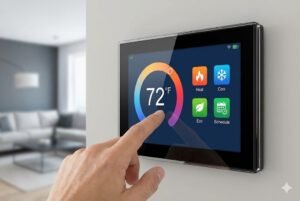
| Thermostat with Color Screen | WROVER | Needs graphics memory. |
If you are developing a high-value device, do not risk the user experience. The WROVER allows your product to perform smoothly. If you are unsure, ask us. We are not just selling you a reel of chips. We want to make sure you can build your product for years to come.
Conclusion
The choice is simple: WROOM is for control, and WROVER is for media and heavy data. If your new device has a camera, a screen, or voice features, you need the WROVER.