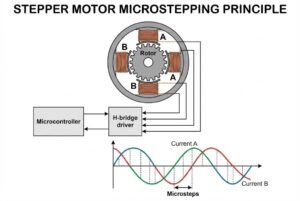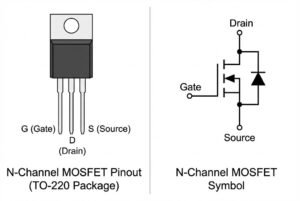
High-current motor drivers get hot during operation. If your A3959 driver overheats1, your system will shut down unexpectedly. This ruins production schedules. You need a solution to keep temperatures down immediately.
The A3959 handles currents up to 3A, but heat is its main enemy. Effective thermal management2 requires using the exposed thermal pad3, optimizing PCB copper areas4 for heat spreading, and selecting low-resistance sense resistors5s](https://nexcir.com/how-do-you-match-awg-wire-gauges-with-anderson-or-xt60-connectors/)%%%FOOTNOTE_REF_6%%% to minimize power loss and prevent thermal shutdown.
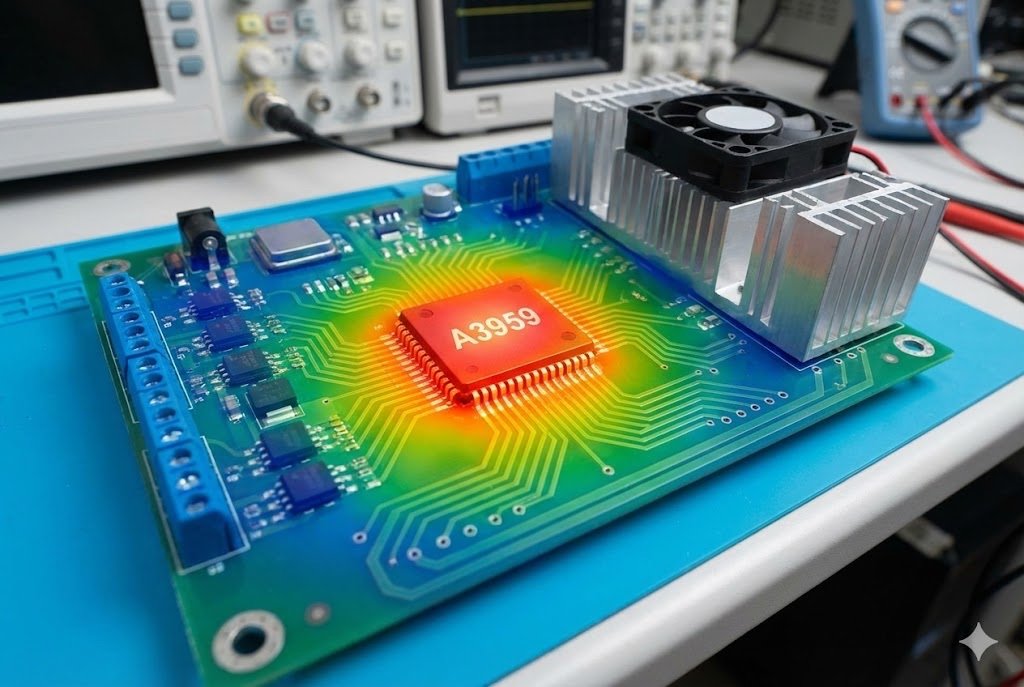
I have seen many engineers struggle with this specific chip. It looks robust on the datasheet, but heat kills it quickly in real-world applications. The chip is small, and the power is high. This combination creates a challenge. I want to share my insights on how to keep this driver cool. Let me show you exactly how to fix this.
Why Does the A3959 Generate So Much Heat Under Load?
You chose the A3959 for its 50V and 3A rating. But during testing, the case temperature spikes dangerously high. This risks component failure and expensive product recalls.
The heat comes from the internal On-Resistance (Rds(on))7 of the DMOS output transistors. When high current flows, power is lost as heat. Without a proper path for this heat to escape, the junction temperature rises rapidly towards the shutdown limit.
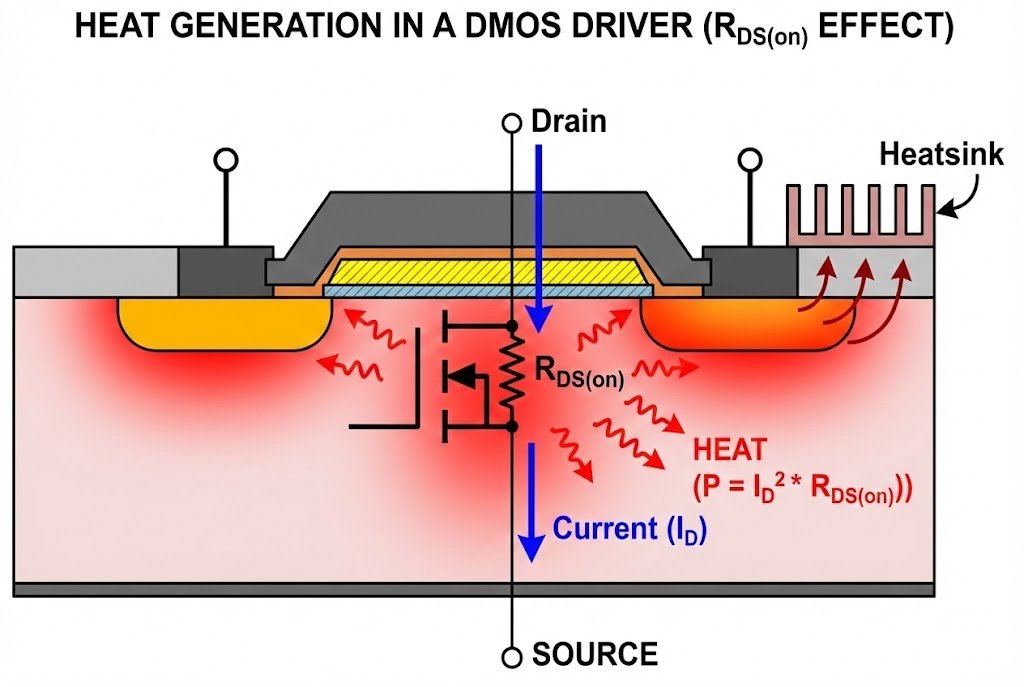
I want to explain why this happens. The A3959 is a DMOS device8. DMOS stands for Double-diffused Metal-Oxide-Semiconductor. It is better than older bipolar drivers because it has lower resistance. However, it is not perfect. The resistance is not zero.
When you push 3A of current through the motor, it also goes through the driver. The internal switches have resistance. We call this $R_{DS(on)}$. For the A3959, the typical source driver resistance is about 270 mΩ. The sink driver is similar. This might look small. But heat generation follows a square law.
The Physics of Heat Generation
You can calculate the power loss using a simple formula: $P = I^2 times R$. If your motor draws 3 Amps, the math looks like this:
- Current ($I$): 3A
- Resistance ($R$): 0.54Ω (Source + Sink combined)
- Power Loss ($P$): $3 times 3 times 0.54 = 4.86$ Watts
Almost 5 Watts of heat is a lot for a small plastic package. If you do not move this heat away, the chip temperature rises. The A3959 has a thermal shutdown feature9. It turns off at 165°C. This protects the chip, but it stops your machine.
Key Thermal Parameters
I always tell my clients to look at these numbers in the datasheet:
| Parameter | Value | Meaning |
|---|---|---|
| $R_{DS(on)}$ | ~270 mΩ | Resistance that creates heat. |
| $T_J(max)$ | 150°C | Maximum safe internal temperature. |
| $T_{SD}$ | 165°C | Temperature where the chip shuts down. |
| $R_{theta JA}$ | Variable | How fast heat moves to the air (depends on PCB). |
At Nexcir10, we see this problem often. Engineers design the circuit correctly electrically. But they forget the physical heat. The chip is too small to cool itself with just air. You must help it. The next section explains how to use your circuit board to cool the chip.
How Should You Design the PCB for Maximum Heat Dissipation?
A bad board layout makes the best chip fail. You cannot rely on air cooling alone. Poor copper design leads to hotspots and system instability.
You must solder the A3959's exposed thermal pad3 directly to the PCB ground plane11. Use multiple thermal vias12 to transfer heat to the bottom layer. Increase the copper area connected to the power and ground pins to act as a heatsink.
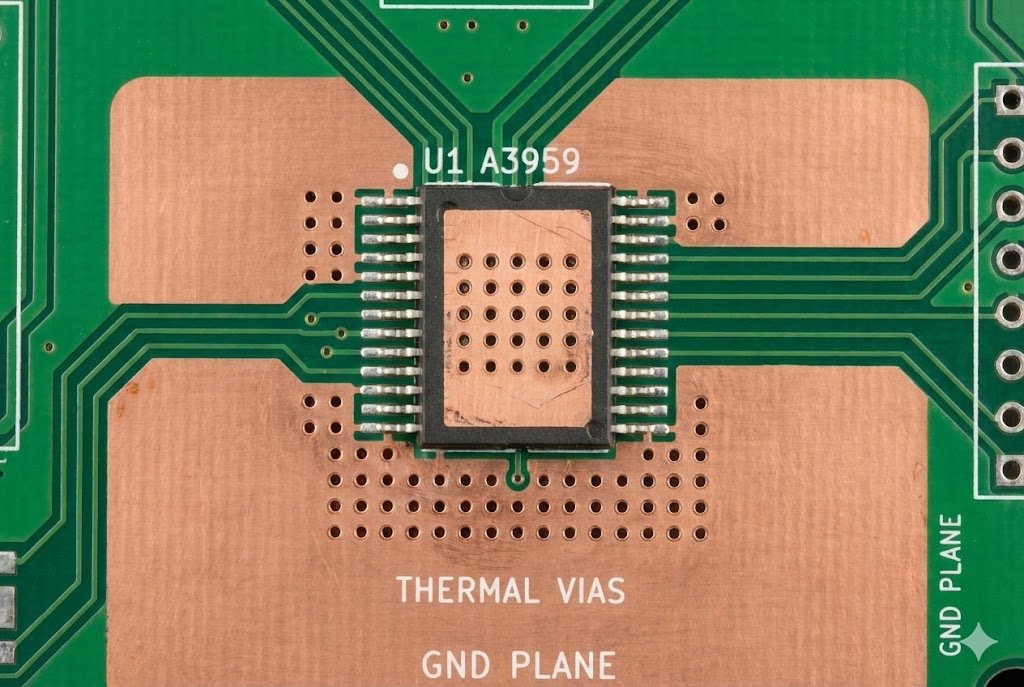
The PCB layout is the most important factor for the A3959. I treat the circuit board as a component. It is not just a holder for parts. It is a heatsink. The A3959 package has a metal pad on the bottom. We call this the "thermal slug13." This slug is the main exit door for heat.
The Exposed Thermal Pad
You cannot leave the thermal pad floating. You must solder it to the PCB. I recommend connecting it to the ground plane11. This provides the lowest thermal resistance. If you do not solder this pad, the thermal resistance increases significantly. The chip will overheat even at low currents.
Using Thermal Vias
Heat needs to move away from the chip. The top layer of the PCB is usually crowded with traces. The bottom layer often has more space. You need a bridge between the top and bottom. We call these "thermal vias12."
- Placement: Place vias directly under the thermal pad of the A3959.
- Quantity: Use as many as possible. I suggest 4 to 8 vias.
- Size: A diameter of 0.3mm is standard. It prevents solder from wicking away too much.
Copper Area and Thickness
The copper on your board acts like a radiator. More copper equals better cooling. I advise my customers to use large ground plane11s. Extend the copper from the ground pins and the thermal pad.
Also, consider the thickness of the copper. Standard boards use 1oz copper. For high-power motor drivers, 2oz copper is better. It is twice as thick. It spreads heat twice as fast.
Layout Checklist for A3959
I use this checklist for every design review:
- Is the thermal slug13 soldered? It must connect to the PCB.
- Are there vias under the chip? They connect the top ground to the bottom ground.
- Is the ground plane11 large? Maximize the area on both sides of the board.
- Are traces wide? Power traces should be wide to reduce extra resistance.
If you follow these rules, the board absorbs the heat. The chip stays cool. The motor keeps running.
Which External Components Help Reduce Thermal Stress?
Wrong resistor choices add unnecessary heat. If your sense resistors6 are too high, you waste power. This lowers efficiency and heats up the surrounding board area.
Select current sensing resistors with very low resistance values and high power ratings. Using a lower voltage reference allowing for smaller sense resistors6 reduces power loss ($I^2R$). Also, ensure low-ESR bulk capacitors14 are placed close to the supply pins to stabilize current.
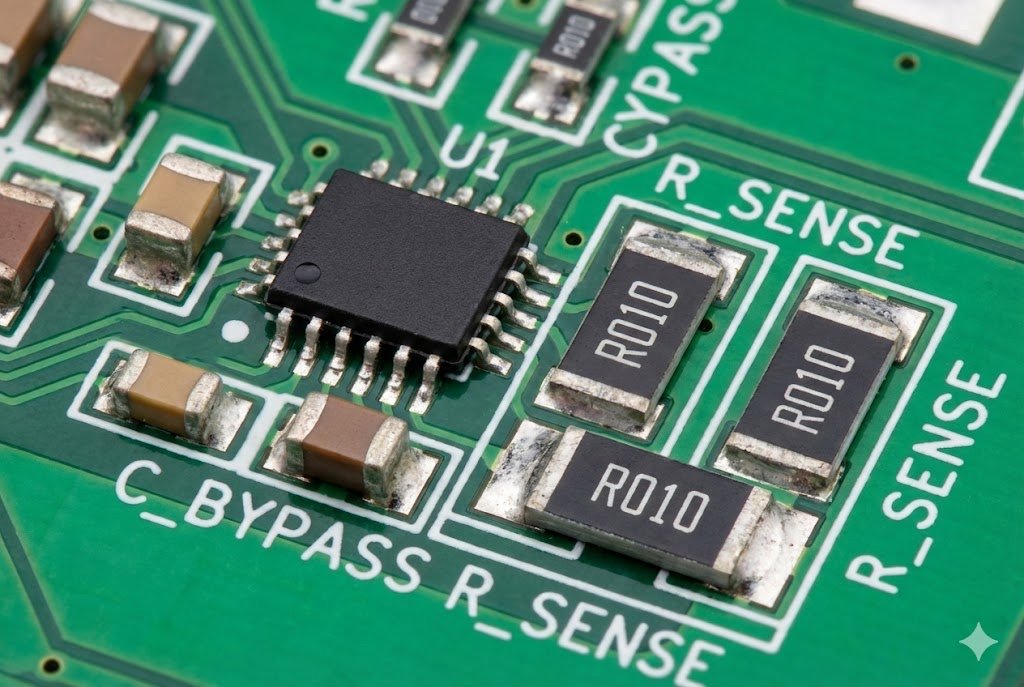
The A3959 does not work alone. It needs external parts. The most critical parts for heat are the current sense resistors6. These resistors monitor the current going to the motor. The current flows through them. This means they also generate heat.
Choosing the Right Sense Resistor
The A3959 measures voltage across this resistor. If the voltage hits a certain level, it limits the current. You might think any resistor works. That is wrong.
If you choose a high resistance value, you create high voltage drop. High voltage drop means high power loss. For example, if you use a 0.5Ω resistor for 2A current: $P = 2^2 times 0.5 = 2$ Watts. That is 2 Watts of extra heat right next to your driver chip. This adds to the thermal load of the PCB.
I suggest using a lower resistance value. You can adjust the reference voltage ($V_{REF}$) on the A3959 to match. If you use a 0.1Ω resistor: $P = 2^2 times 0.1 = 0.4$ Watts. You just saved 1.6 Watts of heat. This makes a huge difference.
Resistor Technology Matters
Do not use standard carbon film resistors. They cannot handle the pulse currents. I recommend:
- Metal Strip Resistors15: They handle high power and heat well.
- Low Inductance: This prevents voltage spikes.
- Wide Terminal Types: These dissipate heat into the PCB better.
Capacitor Placement
Capacitors stabilize the voltage. The A3959 switches high current very fast. This pulls hard on the power supply. Without good capacitors, the voltage ripples. This causes the chip to work harder and get hotter.
Place a bulk electrolytic capacitor close to the power pins ($V_{BB}$). Also, place a ceramic capacitor right next to the pins. The ceramic capacitor handles the high-frequency noise. The electrolytic handles the large energy gulps.
Summary of Component Strategy
| Component | Recommendation | Benefit |
|---|---|---|
| Sense Resistor | Low value (<0.2Ω), Metal Strip | Reduces external heat generation. |
| Bulk Capacitor | Low ESR Electrolytic (>100µF) | Stabilizes main power supply. |
| Bypass Capacitor | Ceramic (0.1µF) | Filters high-frequency noise. |
At Nexcir10, we help customers find these specific parts. We know which brands are reliable. We ensure you get the original components that match your thermal design.
Conclusion
To keep your A3959 cool, you must solder the thermal pad, use plenty of copper vias, and choose low-resistance sense components. Nexcir10 supports your design with authentic parts and expert advice.
Understanding why the A3959 driver overheats can help you implement effective solutions to prevent unexpected system shutdowns. ↩
Effective thermal management is crucial to prevent overheating and ensure the longevity and reliability of electronic components. ↩
Utilizing the exposed thermal pad correctly can significantly enhance heat dissipation and prevent component failure. ↩
Optimizing PCB copper areas is essential for effective heat spreading, which helps in maintaining the performance of electronic components. ↩
Using low-resistance sense resistors minimizes power loss and helps in preventing thermal shutdowns in high-current applications. ↩
Selecting the appropriate sense resistors is vital for reducing heat generation and improving the efficiency of motor drivers. ↩
Understanding the impact of internal On-Resistance on heat generation can help in designing more efficient electronic circuits. ↩
DMOS devices offer lower resistance and improved performance, making them preferable in high-current applications. ↩
The thermal shutdown feature is a critical protection mechanism that prevents damage by turning off the device when temperatures are too high. ↩
Nexcir provides expert advice and authentic components, supporting effective thermal design and component selection. ↩
A well-designed ground plane acts as a heatsink, helping to spread and dissipate heat effectively in PCBs. ↩
Thermal vias are essential for transferring heat away from critical components, enhancing the overall thermal performance of the PCB. ↩
The thermal slug is crucial for heat dissipation, acting as the main exit path for heat from the component to the PCB. ↩
Low-ESR bulk capacitors stabilize the power supply and reduce voltage ripples, enhancing the performance of electronic circuits. ↩
Metal Strip Resistors handle high power and heat effectively, making them ideal for high-current applications. ↩