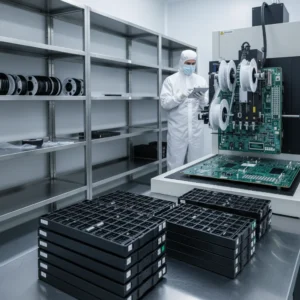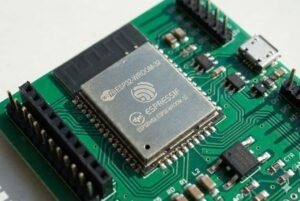
Are you worried about using older electronic components? You fear they might fail, causing huge production problems. The secret to their reliability lies in understanding MSL and proper packaging.
The age of a component doesn't matter as much as how it's stored. Properly packaged older inventory, respecting its Moisture Sensitivity Level (MSL)1, is just as reliable as new stock because the packaging prevents moisture damage that leads to failure during manufacturing.
I’ve talked to many procurement managers who get nervous when they see a date code from a few years ago. It’s a completely normal reaction. You're responsible for the quality of your production line, and old stock can feel like a gamble. But what if I told you that a component from 2018 could be more reliable than a brand-new one that was left out on a shelf? It all comes down to one thing: moisture. Let's explore why this is so important and how it can give you a major advantage in your sourcing strategy2.
What Exactly is a Moisture Sensitivity Level (MSL)1 Rating?
You see "MSL" on datasheets but might not pay it much attention. Ignoring it can lead to disaster on your production line. Understanding it is your best defense against component failure3.
MSL is an industry standard (J-STD-0204) that defines how long a sensitive component can be exposed to air before it must be baked. The levels range from MSL 1 (not sensitive) to MSL 6 (extremely sensitive and needs immediate baking).
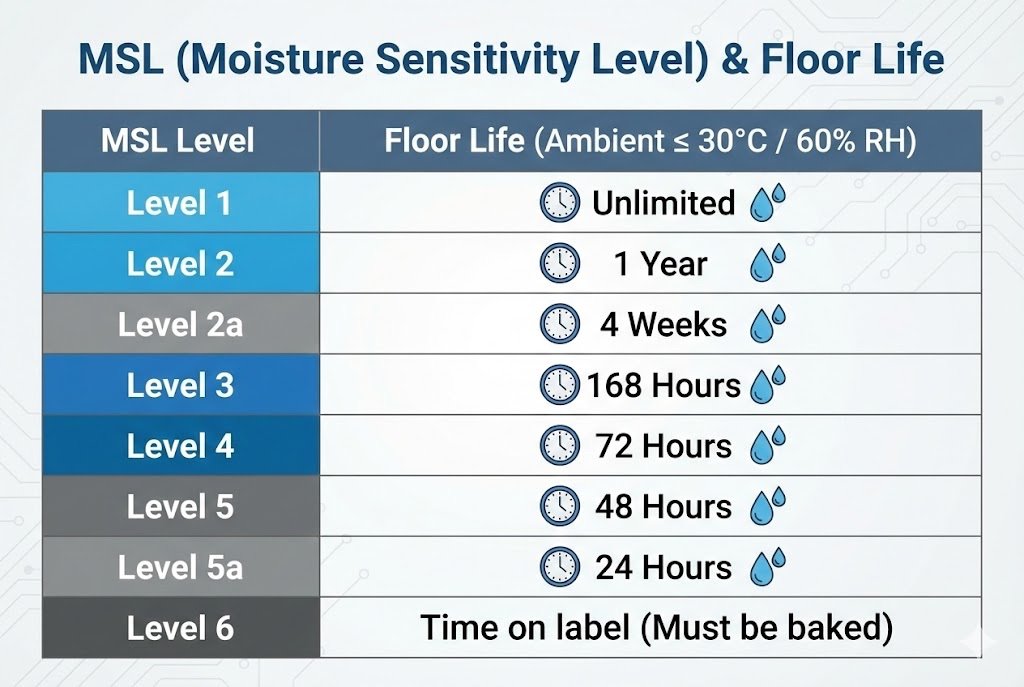
When we talk about MSL, we are really talking about "floor life5." Floor life is the amount of time a component can sit out in a factory environment (at a certain temperature and humidity, usually ≤30°C/60% RH) after you open its protective packaging. Once that time is up, the component has likely absorbed too much moisture from the air. If you try to solder it, it could be destroyed.
I've seen this happen. A team was rushing a project and opened several reels of sensitive ICs6 at once. Some sat on a cart for a few days. When they finally went into the reflow oven, a significant percentage of the boards failed. The components had exceeded their floor life5. This is why knowing the MSL rating is not just academic; it's a critical part of managing production risk7.
Here’s a simple breakdown of the standard MSL ratings:
| MSL Level | Floor Life (Time out of the bag) | Conditions |
|---|---|---|
| 1 | Unlimited | ≤30°C/85% RH |
| 2 | 1 Year | ≤30°C/60% RH |
| 2a | 4 Weeks | ≤30°C/60% RH |
| 3 | 168 Hours (1 week) | ≤30°C/60% RH |
| 4 | 72 Hours (3 days) | ≤30°C/60% RH |
| 5 | 48 Hours (2 days) | ≤30°C/60% RH |
| 5a | 24 Hours (1 day) | ≤30°C/60% RH |
| 6 | Mandatory Bake Before Use | Time on label |
Most of the advanced ICs we handle today, like MCUs and FPGAs, are MSL 3 or higher. This means you only have a few days to use them once the bag is open.
How Does Trapped Moisture Actually Damage Components?
A tiny bit of moisture seems harmless, right? But during soldering, it turns into a tiny steam bomb inside your components. This can easily destroy your entire production run.
During reflow soldering8, temperatures exceed 200°C. Any trapped moisture inside a component's plastic package instantly turns to steam and expands violently. This pressure causes micro-cracks or delamination9, a phenomenon known as the "popcorn effect10."
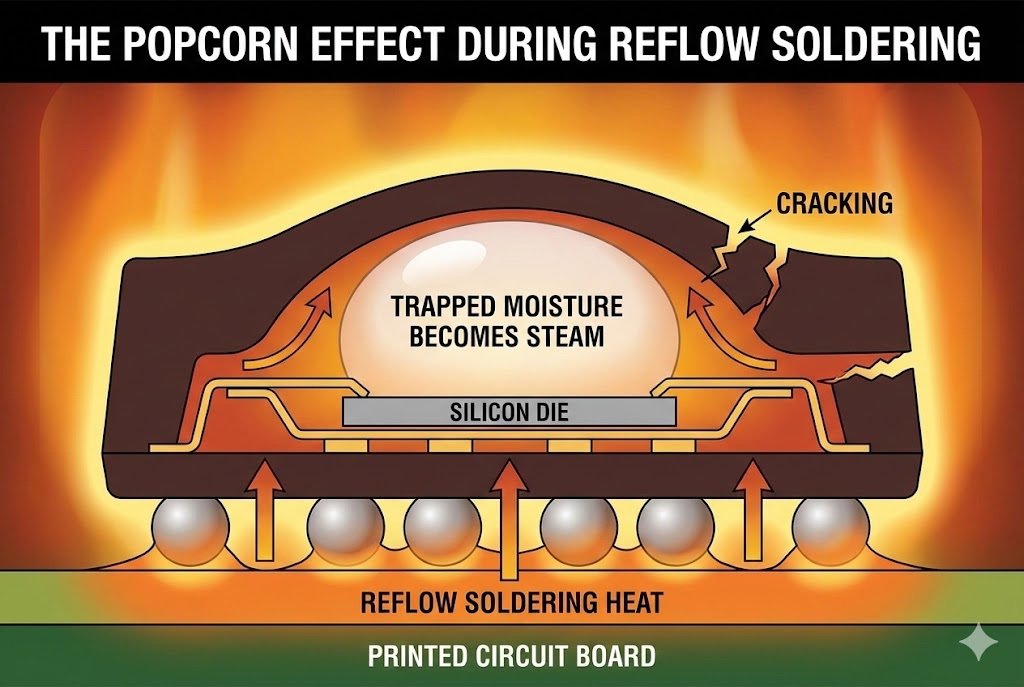
Imagine putting a sealed can of food directly into a fire. The liquid inside would boil, build up immense pressure, and the can would explode. The same thing happens on a microscopic scale inside an integrated circuit. The plastic molding compound used to encapsulate the silicon die is not perfectly waterproof; it’s hygroscopic, meaning it slowly absorbs moisture from the air.
When a component full of moisture hits the reflow oven, this process creates several types of defects.
The Popcorn Effect in Action
This rapid expansion of moisture can cause a few different kinds of damage:
- Internal Cracks: Tiny, invisible cracks can form in the silicon die itself or the substrate it's mounted on. These are the most dangerous because the component might pass initial testing but then fail weeks or months later out in the field.
- Delamination: The explosive force can cause the plastic molding to separate from the die or the lead frame. This separation compromises the component's structural integrity and thermal performance, leading to overheating and eventual failure.
- External Cracking: In severe cases, the pressure is so great that it creates a visible bulge or crack on the surface of the component. This is an obvious failure, but the hidden internal damage is often a bigger long-term risk for product reliability.
This is why we take moisture control so seriously. A single failed component can compromise an entire device, leading to costly recalls and damage to your brand's reputation.
Why Is Proper Packaging So Critical For Older Component Stock?
You found components from 2019. The price is fantastic, but the age makes you nervous. This is a common fear. But the date code is not the whole story.
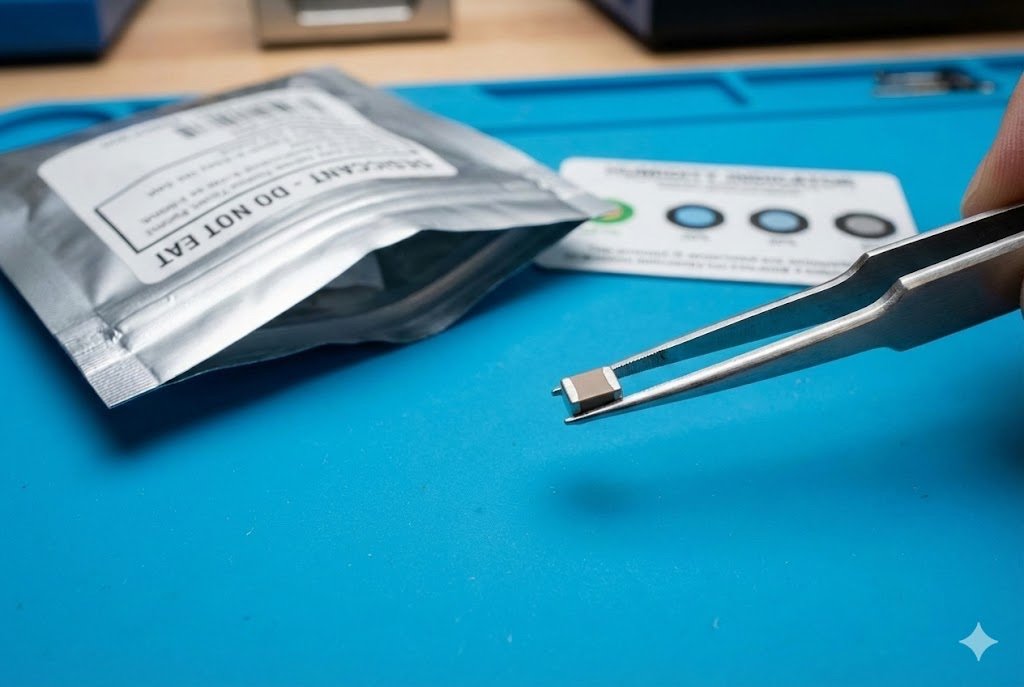
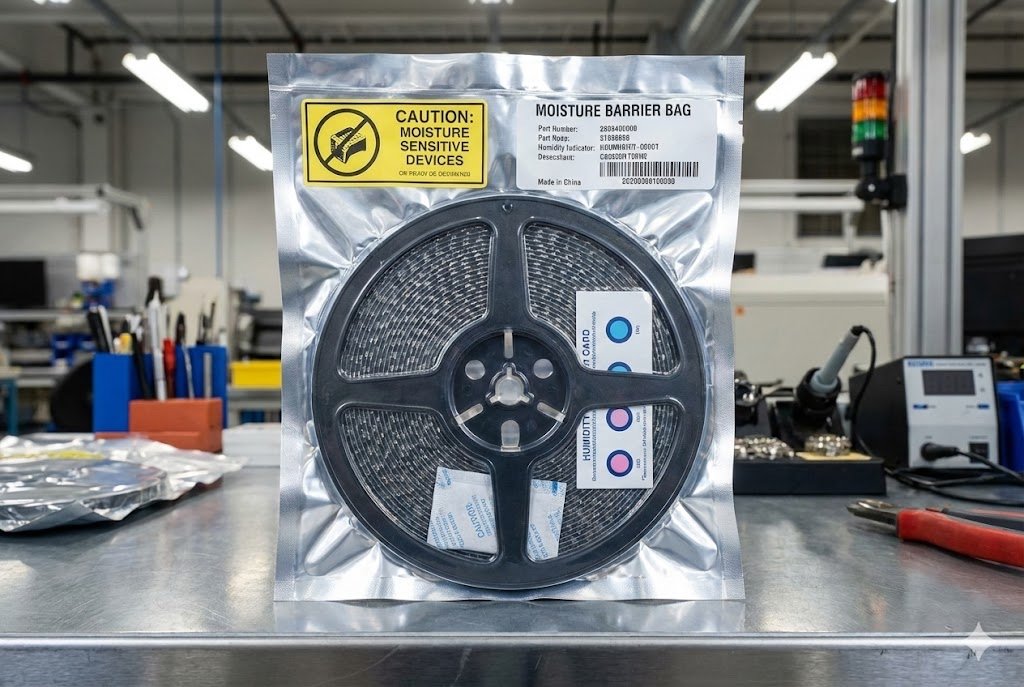
Proper packaging stops the clock on floor life5. When sealed in a Moisture Barrier Bag (MBB)11 with a desiccant12, a component is protected. This means a part from 2019, properly stored, is functionally identical to a new one.
I remember a client, a procurement manager for an industrial controls company, who was very hesitant about a batch of MCUs we sourced for him. The date code was from three years prior, and he needed them for a critical production run. He was worried they would be unusable.
I walked him through our storage and handling process. I explained that these components had been kept in a climate-controlled warehouse13, sealed in their original factory packaging. This packaging is a complete system designed to defeat moisture. It consists of three key parts:
- Moisture Barrier Bag (MBB)11: This isn't just any plastic bag. It's a multi-layer composite film, often with a layer of aluminum, that is designed to have an extremely low water vapor transmission rate. It’s the first line of defense.
- Desiccant: This is the small packet you see inside the bag. It contains a material like silica gel that actively absorbs any moisture that was trapped in the bag during sealing, or any that might slowly get through over time.
- Humidity Indicator Card (HIC)14: This is a simple but brilliant little card with several dots that change color in the presence of humidity. It's a visual confirmation that the inside of the bag is dry.
When a component is vacuum-sealed15 in this system, its floor life5 clock is paused indefinitely. The date code simply tells you when it was made, not its condition.
| Storage Method | Risk Level | Result |
|---|---|---|
| Poorly Stored (in open air) | Very High | Component absorbs moisture, exceeds floor life5, and is likely to fail during soldering. |
| Nexcir's Stored (in MBB) | Very Low | Component is kept dry, floor life5 clock is paused, and it is ready for production as if it were new. |
After understanding this, the client confidently placed the order. The components worked perfectly, and he was able to complete his production run without any issues. The age didn't matter because the packaging did its job.
How Can You Verify the Condition of Older, Properly Stored Components?
Trust is good, but verification is better. You have the older stock, and it looks fine in the bag. But how can you be absolutely sure it’s ready for your production line?
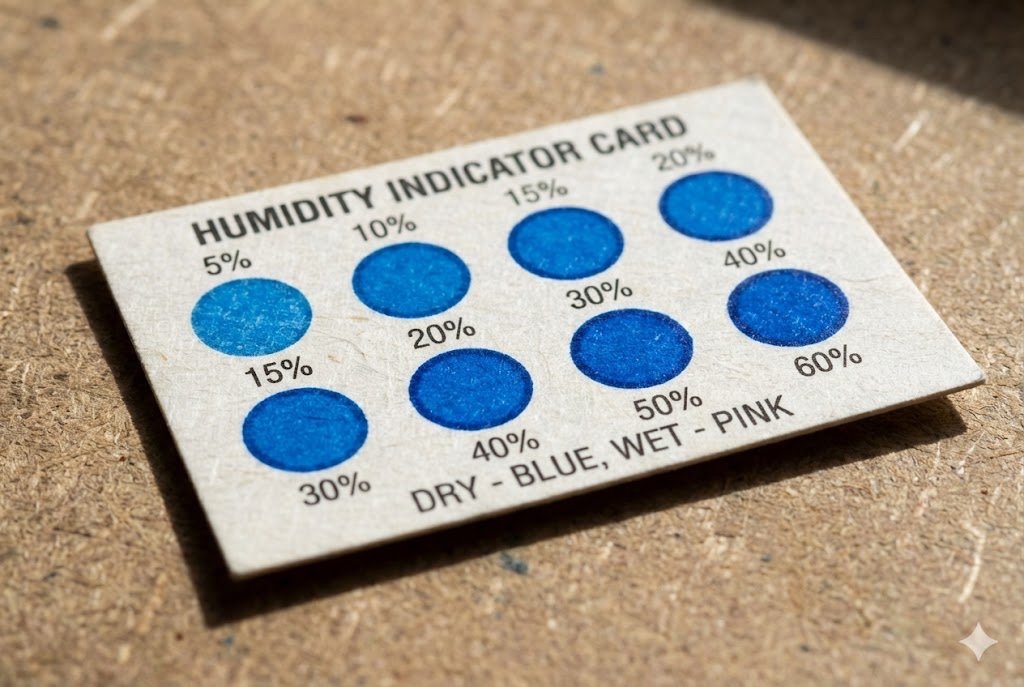
You can verify the condition by inspecting the packaging. Check the Humidity Indicator Card (HIC)14 inside the sealed bag. If the indicator dots for higher humidity levels have not changed color, the components are dry and safe to use.
When you receive a shipment of moisture-sensitive components from us or any supplier, you should perform a quick check. It takes less than a minute and gives you complete peace of mind. Here is the simple process our own quality team follows.
Step 1: Inspect the Packaging
First, look at the Moisture Barrier Bag. Is it still vacuum-sealed15? A tight seal is a good sign that the bag has not been compromised. Check for any punctures or tears in the bag itself. If the bag is intact and sealed, move on to the next step.
Step 2: Read the Humidity Indicator Card (HIC)14
This is the most important step. Look through the bag's window (or open it if you plan to use the parts immediately) and check the HIC. These cards typically have three or more dots, often indicating 10%, 20%, and 30% relative humidity.
- If all dots are blue (or the "good" color indicated on the card): The environment inside the bag is dry. The components are safe to use, and their floor life5 clock starts now.
- If a higher-level dot (e.g., 20% or 30%) has changed to pink (or the "bad" color): This means the bag's seal was compromised or the desiccant12 is exhausted. The components have been exposed to moisture and must be baked before use.
Step 3: Baking (If Necessary)
If the HIC indicates a problem, the components are not a lost cause. They simply need to be baked. Baking is a process where components are heated in a special oven at a low temperature (usually around 125°C) for a specific duration. This safely removes the absorbed moisture and resets the floor life5 clock to zero. At Nexcir, we ensure the HIC is good before we ship. Our goal is to make sure you never have to worry about this step.
Conclusion
Properly handling MSL and using the right packaging means even older inventory is reliable. This gives you access to more components, helps you avoid production delays16, and makes your supply chain stronger.
Understanding MSL is crucial for ensuring the reliability of electronic components and preventing production failures. ↩
Understanding moisture sensitivity can enhance your sourcing strategy and reduce risks. ↩
Identifying causes of component failure can help improve quality control in production. ↩
Understanding this standard helps in managing the risks associated with moisture-sensitive components. ↩
Learn about floor life to manage the exposure of sensitive components and avoid costly production issues. ↩
Learn about the handling requirements for sensitive ICs to ensure their reliability. ↩
Learn strategies to mitigate production risks associated with moisture-sensitive electronics. ↩
Learn about reflow soldering to understand the risks of moisture during the manufacturing process. ↩
Learn about delamination and its impact on the performance and reliability of electronic devices. ↩
Discover how the popcorn effect can lead to component failure and how to prevent it. ↩
Discover how MBBs protect electronic components from moisture and extend their usability. ↩
Explore the importance of desiccants in maintaining the integrity of moisture-sensitive components. ↩
Find out how climate control preserves the quality of electronic components during storage. ↩
Find out how HICs provide visual confirmation of moisture levels, ensuring component safety. ↩
Discover the benefits of vacuum-sealed packaging in preserving the integrity of components. ↩
Understanding moisture sensitivity can help prevent costly production delays in manufacturing. ↩