Confused by network cable wiring? A single crossed wire can cause frustrating connection drops. This guide will help you terminate RJ45 connectors1 perfectly every time.
The RJ45 pinout is a wiring standard that defines the color-coded order for the eight wires inside an Ethernet cable2. Following the correct pinout, either T568A3 or T568B4, is essential for a reliable network connection5. T568B4 is the most common standard used today.
Getting the wires right is the first step. But this often leads to more questions. Which standard should you choose for your project? Does it even matter anymore with modern equipment? And how do you know if the connector itself is any good? Let's dive in and clear up the confusion for good.
What's the Real Difference Between T568A3 and T568B4 Pinouts?
You see two wiring standards, T568A3 and T568B4, and feel uncertain. Using the wrong one or mixing them can cause connection failures that are incredibly difficult to diagnose later.
The only physical difference between T568A3 and T568B4 is the swap of the orange and green wire pairs. T568A3 places the green pair on pins 1 & 2, while T568B4 places the orange pair there. For modern networks, both perform identically.
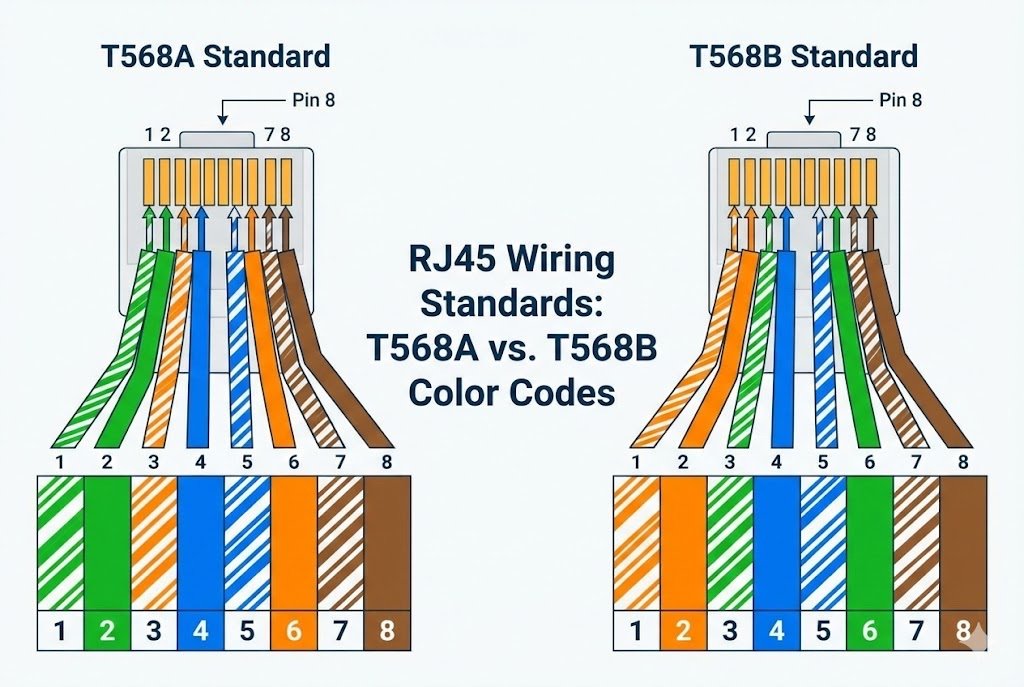
For over 15 years, I've seen countless hours wasted troubleshooting network issues6 that came down to inconsistent wiring. Understanding these two standards is fundamental. They are both approved termination patterns under the TIA/EIA-568 standards7, but they are not interchangeable within the same cable run. The key difference is the position of two wire pairs.
T568B4 Color Code (The Commercial Standard)
This is the most common standard used in the United States and worldwide for new commercial network installation8s. If you buy a pre-made patch cable, it's almost certainly wired to the T568B4 standard.
| Pin | Color |
|---|---|
| 1 | White/Orange |
| 2 | Orange |
| 3 | White/Green |
| 4 | Blue |
| 5 | White/Blue |
| 6 | Green |
| 7 | White/Brown |
| 8 | Brown |
T568A3 Color Code (The Residential/Government Standard)
While less common in new commercial builds, T568A3 is specified for U.S. government projects. It's also common in older residential installations9.
| Pin | Color |
|---|---|
| 1 | White/Green |
| 2 | Green |
| 3 | White/Orange |
| 4 | Blue |
| 5 | White/Blue |
| 6 | Orange |
| 7 | White/Brown |
| 8 | Brown |
As you can see, the green and orange pairs are simply swapped. The electrical performance is identical. The only reason to choose one over the other is for consistency.
Should You Use T568A3 or T568B4 for Your Project?
Choosing a wiring standard can feel arbitrary. But picking the wrong one for your building can create compatibility headaches and force you to re-terminate cables down the road.
For all new commercial installations, you should use T568B4. It is the dominant industry standard. Only use T568A3 if you are expanding an existing network that already uses it. The most important rule is to remain consistent throughout your project.
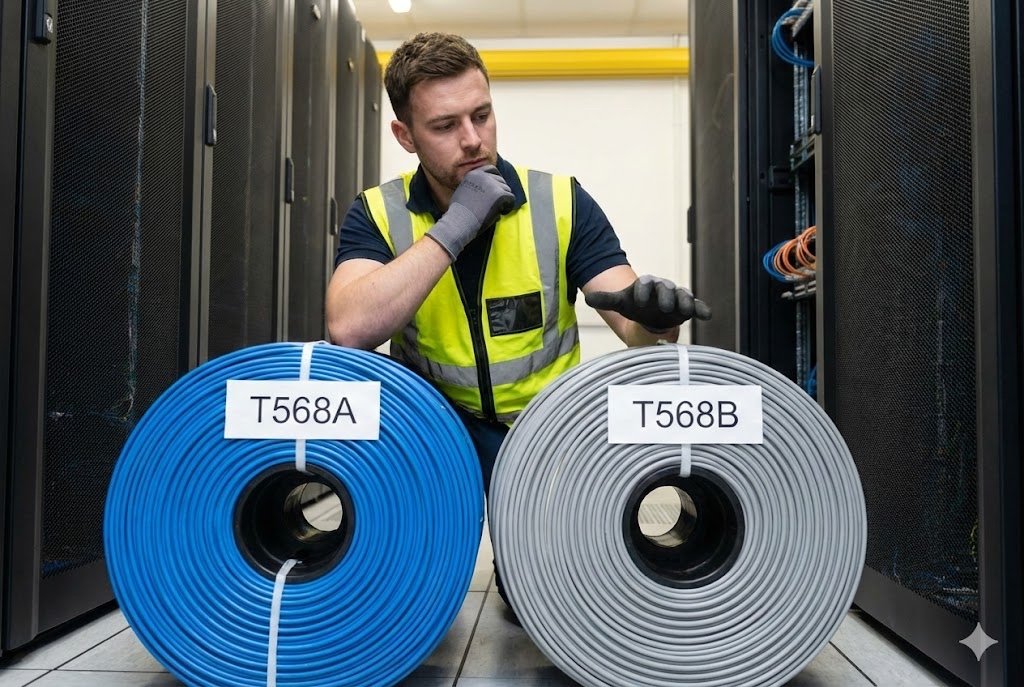
As a professional, my advice is always to make things simple and predictable. The choice between T568A3 and T568B4 is a perfect example of this. While they are technically equal, making the right choice from the start prevents future problems.
The Case for T568B4
I recommend T568B4 for about 99% of new projects. Here’s why:
- Industry Dominance: The vast majority of network hardware10, pre-made cables, and training materials are based on the T568B4 standard. It creates a universal language.
- Tool and Material Availability: Most technicians are more familiar with T568B4, and almost every patch cord you can buy off the shelf is wired this way. Sticking to B means you can easily integrate pre-made and custom-made cables.
- Backward Compatibility: T568B4 offers slightly better compatibility with older USOC telephone wiring systems, though this is rarely a factor in modern data networks.
When T568A3 is the Right Choice
There are only a couple of situations where I would use T568A3:
- Matching Existing Infrastructure: If you are working in a building that is already wired with T568A3, you must continue using it. Mixing standards is a recipe for disaster. Always check the existing patch panels and jacks first.
- Government Contracts: Some U.S. federal government projects explicitly require T568A3. Always check the project specifications.
My personal rule is this: Pick one standard for the entire site, label everything clearly, and stick to it. This simple discipline saves more time than any other single practice.
Do You Still Need Crossover Cables in Modern Networks?
You may have heard about "straight-through" and "crossover" cables. In the past, making the wrong one for a specific connection meant the devices simply wouldn't talk to each other.
For the most part, no. Modern network devices use a technology called Auto-MDIX11, which automatically detects the cable type and adjusts internally. This makes standard "straight-through" cables work for almost all connections, virtually eliminating the need to make special crossover cables12.
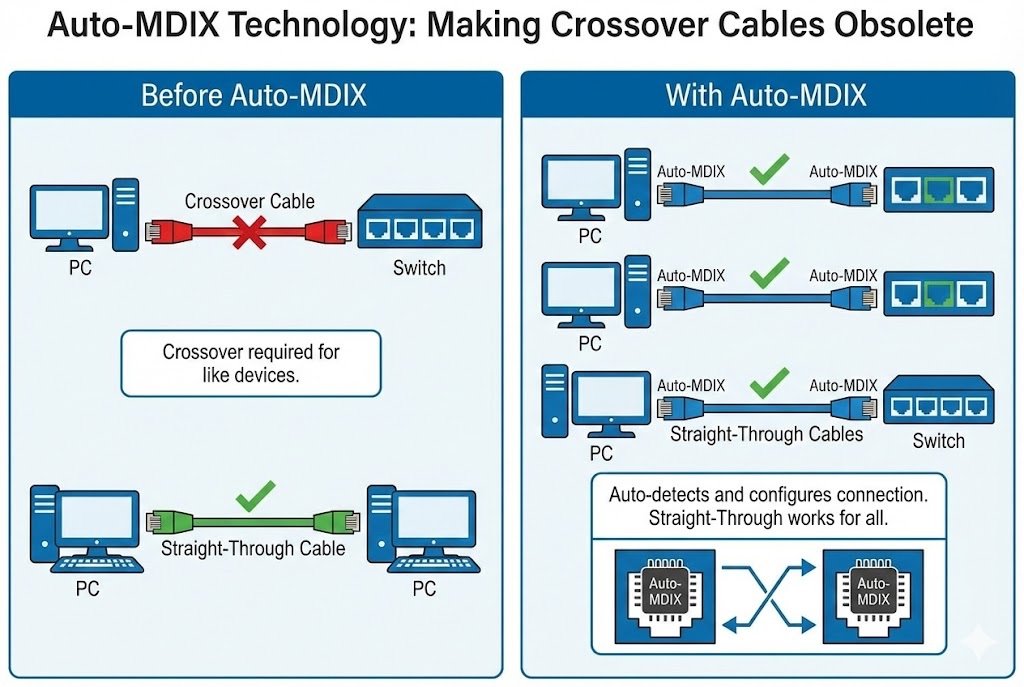
This is one of the best quality-of-life improvements we've seen in networking. I remember carrying both types of cables everywhere I went. Now, thanks to smarter hardware, one cable type works for nearly everything.
Understanding Straight-Through and Crossover
To understand why this mattered, you need to know what the pins do. In 10/100BASE-T Ethernet, data is sent on one pair and received on another.
- Transmit (TX) Pins: 1 and 2
- Receive (RX) Pins: 3 and 6
A Straight-Through Cable has the same standard (e.g., T568B4) on both ends. This is used to connect a computer (a DTE device) to a network switch (a DCE device). The switch is designed to internally cross the connection.
A Crossover Cable is wired with T568A3 on one end and T568B4 on the other. This physically swaps the transmit and receive pairs. It was required to connect two similar devices directly, like a PC to a PC, or a switch to a switch. The cable performed the "cross" that the hardware could not.
The Magic of Auto-MDIX11
Auto Medium-Dependent Interface Crossover (Auto-MDIX11) is a feature now built into virtually all modern network ports. The port is smart enough to sense what kind of device is on the other end. It then electronically "swaps" its transmit and receive pins if needed. This means you can use a simple straight-through cable to connect a PC to a PC, and it will just work. It removes the guesswork and the need for a special cable. For Gigabit Ethernet, all four pairs are used for both sending and receiving data, but Auto-MDIX11 still handles the necessary configuration seamlessly.
How Can You Tell a High-Quality RJ45 Connector from a Bad One?
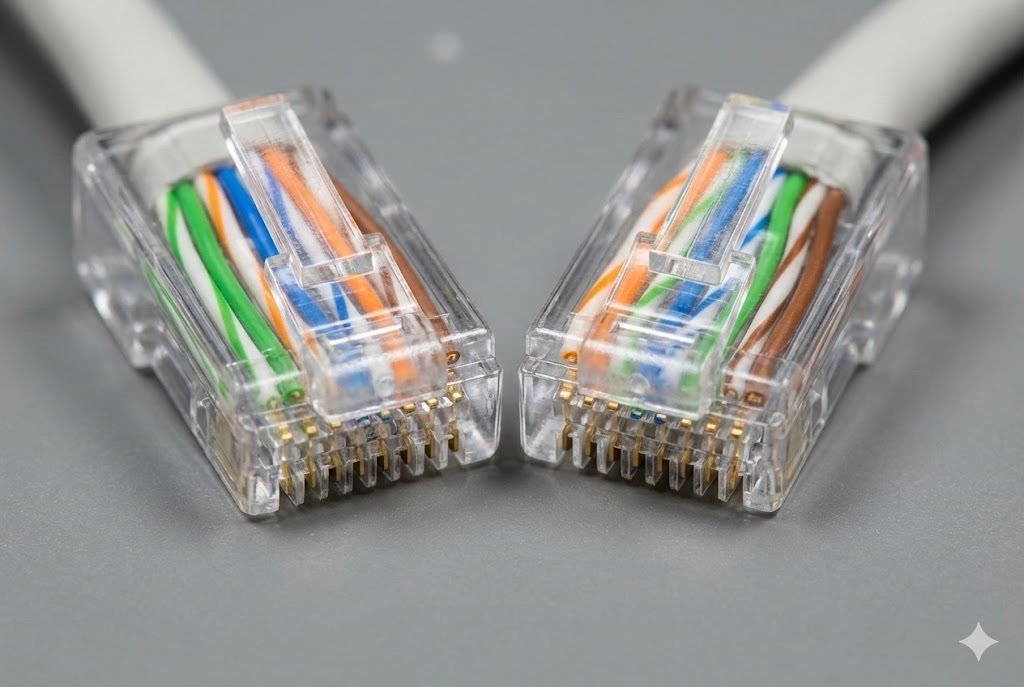
To the untrained eye, all clear plastic RJ45 plugs look the same. But using a cheap, poorly made connector can cause packet loss, slow speeds, and connection drops that are a nightmare to fix.
Look for thick gold plating13 on the contacts—50 microns is the professional standard and prevents corrosion. Also, choose shielded connectors14 for industrial or electronically "noisy" environments to protect your signal from interference. A good connector is not an expense; it's network insurance.
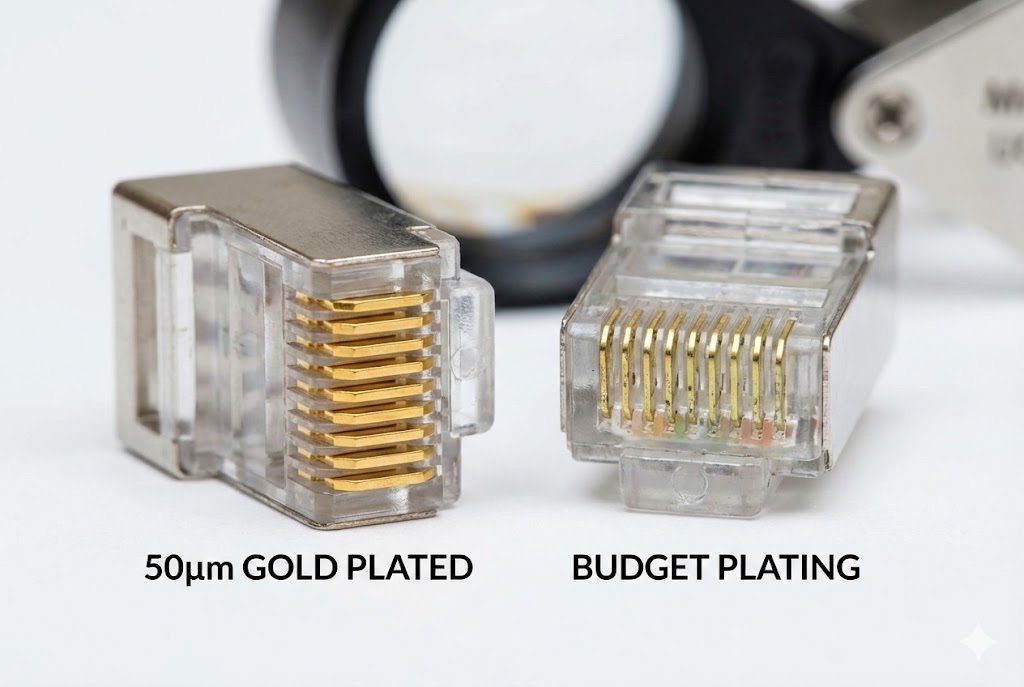
As someone who sources electronic components, I can tell you that the smallest parts often have the biggest impact. The RJ45 connector is the physical handshake between your cable and your device. A weak handshake leads to an unreliable connection.
Gold Plating: More Than Just Shine
The eight contacts inside the connector are coated in gold because it is highly conductive and does not corrode. However, not all gold plating13 is equal.
- "Flash" Plating (3-6 microns): This is common in the cheapest connectors. The gold is so thin that it can wear off after just a few insertions, exposing the base metal (like nickel or copper) to oxygen. This leads to oxidation and a poor, intermittent connection.
- 50-Micron Plating: This is the TIA/EIA standard for commercial and industrial-grade connectors. This thick layer provides excellent durability and long-term protection against corrosion, ensuring a reliable connection for years.
When we help clients source components, we always emphasize this point. Saving a few cents on a connector can cost hundreds of dollars in diagnostic labor and downtime.
Shielded (STP) vs. Unshielded (UTP) Connectors
You must match your connector to your cable type.
- Unshielded (UTP) Connectors: These are standard plastic connectors used with Unshielded Twisted Pair (UTP) cable, which is common for general office and home networks.
- Shielded (STP) Connectors: These have a metal housing that wraps around the connector. When used with Shielded Twisted Pair (STP) cable, this metal shield connects to the cable's drain wire and foil, providing a continuous ground path. This is critical for protecting the data signal from electromagnetic interference15 (EMI) found in factories, hospitals, or near large motors and fluorescent lights. Using a high-quality shielded connector is essential for signal integrity in these environments.
Conclusion
Always use the T568B4 standard for new installations, maintain consistency, and never underestimate the impact of a high-quality, 50-micron gold-plated connector on your network's long-term performance and reliability.
Understanding RJ45 connectors is crucial for anyone working with network cables, ensuring reliable connections. ↩
Discover the importance of Ethernet cables in networking and how they facilitate communication between devices. ↩
Explore the T568A standard to understand its applications and when it should be used in network installations. ↩
Learn about the T568B standard, the most common wiring method for Ethernet cables, and its benefits. ↩
Explore tips and best practices for maintaining a stable and efficient network connection. ↩
Discover effective strategies for diagnosing and resolving common network problems. ↩
Understand the TIA/EIA-568 standards that govern network wiring and ensure compatibility. ↩
Discover best practices for installing networks to ensure optimal performance and reliability. ↩
Explore the unique considerations for residential network installations compared to commercial setups. ↩
Explore the various types of network hardware and their roles in creating efficient networks. ↩
Learn how Auto-MDIX simplifies network connections and eliminates the need for crossover cables. ↩
Understand the role of crossover cables in networking and how they differ from standard cables. ↩
Discover how gold plating enhances the performance and longevity of RJ45 connectors. ↩
Explore the benefits of shielded connectors in environments with electromagnetic interference. ↩
Understand the impact of electromagnetic interference on network performance and how to mitigate it. ↩