Do you struggle with black screens when connecting a new motherboard to an industrial display panel? Many engineers waste time testing cheap cables that fail to work reliably. The solution is not a better cable, but a dedicated video interface chip.
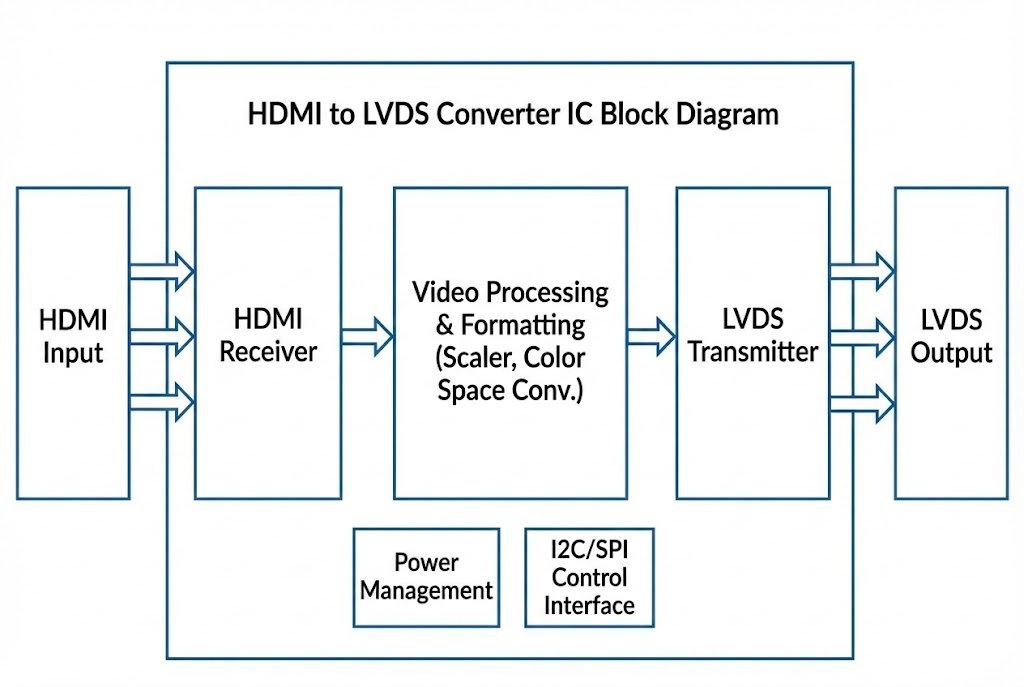
HDMI to LVDS converter ICs1 are active semiconductor components2 that translate High-Definition Multimedia Interface signals into Low-Voltage Differential Signaling3. Unlike simple wires, these chips, such as those from Lontium4 or Realtek5, process video timing and format6 to ensure your motherboard communicates correctly with LCD panels in factory equipment, automotive displays, and commercial monitors.
If you are building a product, relying on consumer-grade monitor cables is a mistake. You need a robust design on your circuit board. In the following sections, I will explain why you need these specific chips and how to choose between top brands like Lontium4 and Realtek5 for your manufacturing needs.
Why Do You Need Dedicated ICs Instead of Simple Cables?
Many project managers try to save money by buying passive adapter cables7 for their prototypes. However, they soon realize that the image flickers or does not show up at all.
Passive cables cannot convert the digital protocol differences between source and screen. You need an active Converter IC to bridge the gap between the HDMI TMDS protocol8 and the panel's LVDS requirement, ensuring stable signal transmission and correct resolution scaling9.
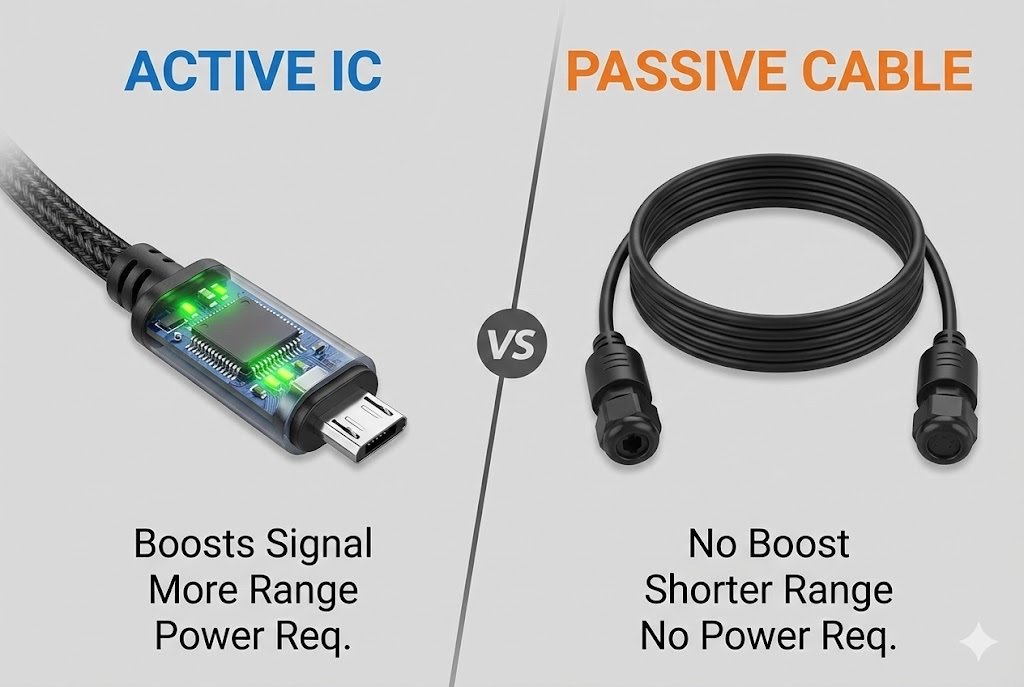
Let me share a story from my early days in the industry. I worked with a client designing a kiosk system. They bought hundreds of "HDMI to LVDS" cables from a local market. When they plugged them in, nothing happened. They thought the screens were broken. The reality was simple: the signals were incompatible.
HDMI uses a technology called TMDS (Transition Minimized Differential Signaling). It is designed for TVs and desktop monitors. On the other hand, the raw LCD panel inside your kiosk or laptop usually expects LVDS signals. You cannot just wire them together. You need a "translator." This translator is the Bridge IC10.
Here is a breakdown of why the chip is essential for OEMs11:
Critical Functions of the Converter Chip
- Protocol Translation: The chip takes the HDMI language and speaks it in LVDS to the panel.
- Resolution Scaling: Sometimes your computer outputs 4K, but the screen is only 1080p. The chip handles this.
- Power Management: Industrial screens need specific power sequences. The chip helps control when the screen turns on and off to prevent damage.
| Feature | Passive Cable | Active Converter IC Solution |
|---|---|---|
| Signal Type | Pass-through (No change) | Active Translation (TMDS to LVDS) |
| Stability | Low (Prone to interference) | High (Re-clocks the signal) |
| Scalability | None | Hardware Scaling available |
| Target User | Home Consumer | OEM / Manufacturer |
At Nexcir, we advise our factory clients to integrate these chips directly onto their driver boards. This removes the point of failure found in external cables.
Which Lontium4 Chips Are Best for HDMI to LVDS Conversion?
Lontium4 Semiconductor is a name I hear constantly when sourcing components for video applications. But with so many part numbers, which one should you choose?
Lontium4 offers highly popular series like the LT8619 and LT8619C for video bridging. These chips are preferred by factories because they offer low power consumption, support high resolutions like 4K, and provide stable performance for harsh industrial environments.
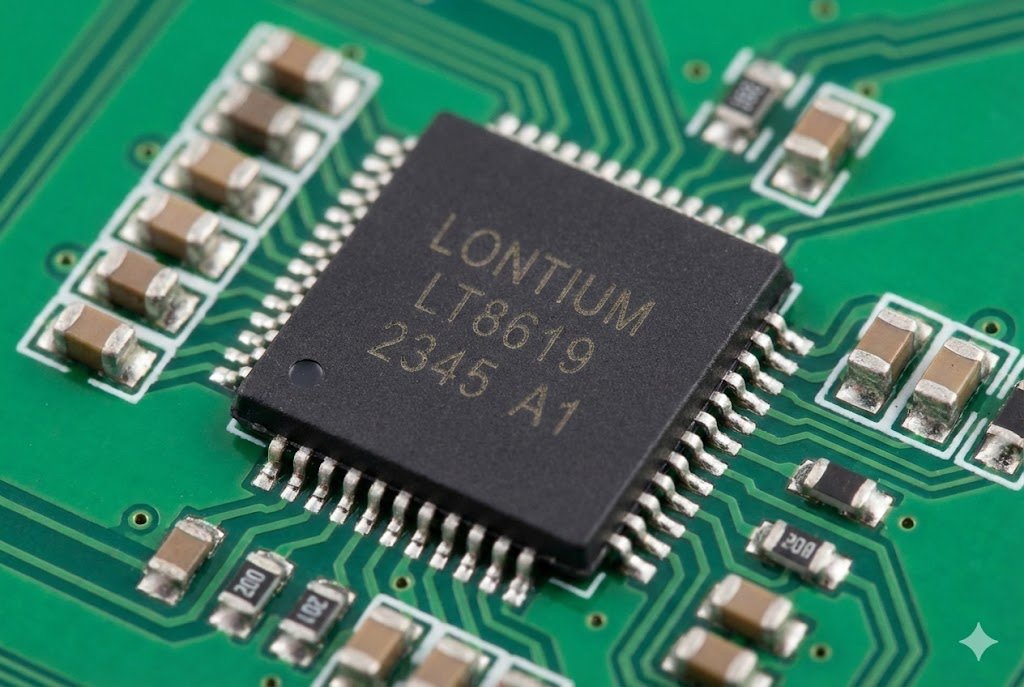
When we talk about "Video Interface Chip Solutions," Lontium4 is often the first brand that comes to mind for cost-effective and reliable bridges. I have sourced the LT8619 series for many automotive and projector manufacturers.
Why is this specific chip so popular? It comes down to integration. The LT8619C, for example, does not just convert video. It also handles audio. It can extract the audio signal from the HDMI stream and send it to your speakers via I2S or SPDIF. This is crucial for designs like digital signage where you need sound but your panel does not have speakers.
Key Technical Advantages of Lontium4 Solutions:
- Dual-Port Support: Some models support dual-port LVDS12, allowing you to drive larger, higher-resolution screens.
- Built-in Scaler: If your input source varies (like a user plugging in different laptops), the chip scales the image to fit the fixed pixels of the LCD.
- Cost Efficiency: Compared to FPGA solutions, Lontium4 ASICs (Application-Specific Integrated Circuits) are much cheaper for volume production.
Choosing the Right Part
- LT8619: Great for standard 1080p applications.
- LT8619C: better for designs requiring Type-C compatibility or newer HDMI standards.
- LT2911: Used if you are moving towards MIPI screens in VR or tablet applications.
We see a lot of demand for these. However, because they are popular, there are fake chips in the market. A fake chip might work for an hour and then overheat. This is why Nexcir only sources from authorized channels. We ensure the Lontium4 parts you put on your board are genuine.
How Do Realtek5 Solutions Compare for Display Interfaces?
Realtek5 is a giant in the industry, known for networking, but their video solutions are equally powerful. Are they the right fit for your specific display board?
Realtek5 provides robust solutions like the RTD series, which are famous for high compatibility and integrated OSD (On-Screen Display) functions. These chips are ideal for monitor controllers and televisions where user menu interaction is required.
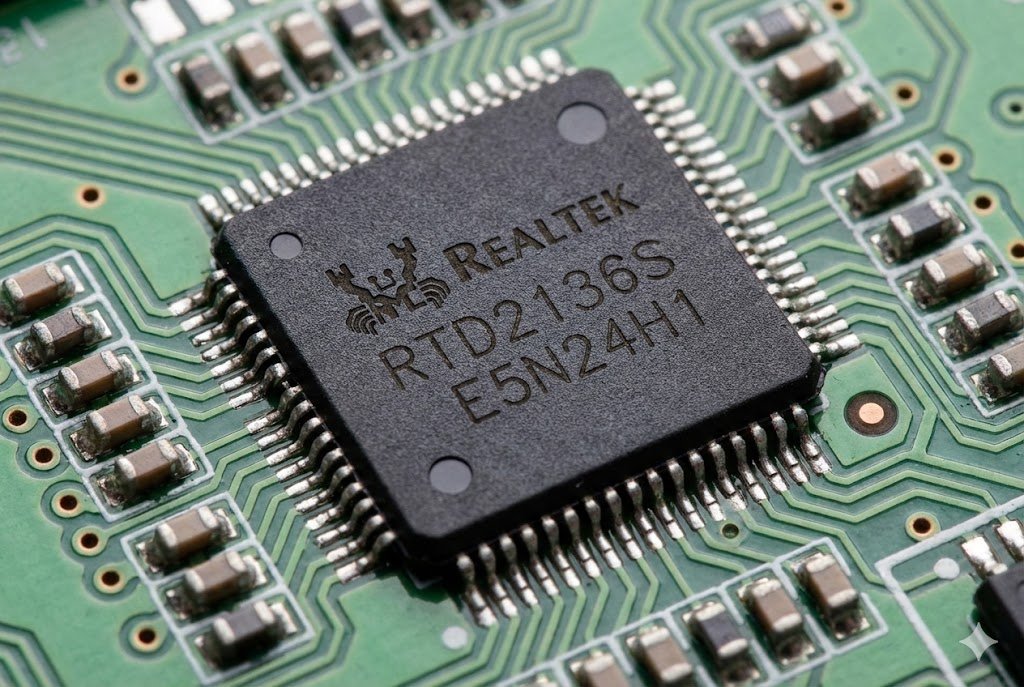
While Lontium4 is excellent for pure "bridging" (getting signal A to signal B), Realtek5 chips often offer a "system on a chip" (SoC) feel. They are the brains behind many standard desktop monitors.
If your product needs a menu system—where the user presses a button to change brightness, contrast, or input source—you likely need a Realtek5 solution. The RTD series includes a microcontroller inside. This means you can write firmware for it. You can customize the "Welcome" logo that appears when your device turns on. This is a huge branding advantage for OEMs11.
Comparing Realtek5 to Pure Bridges:
- Complexity: Realtek5 chips are more complex. They require firmware development. If you just want a simple converter, this might be overkill. If you want a full monitor, it is perfect.
- Supply Chain: Realtek5 parts are in high demand by huge TV manufacturers. Sometimes, spot sourcing these can be difficult for smaller factories.
- Documentation: Because they are complex, you need good technical support and datasheets.
Supply Chain Insights
I have seen production lines stop because a factory could not get the specific Realtek5 controller they designed in. They designed the board, wrote the code, and then the chip went out of stock.
At Nexcir, we use our global network to find these "hard-to-find" parts. We understand that changing a Realtek5 chip means rewriting software, which takes months. We help you secure stock early or find a pin-compatible alternative if one exists.
Comparison Table: Lontium4 vs. Realtek5 Focus
| Brand | Primary Strength | Typical Application | Complexity |
|---|---|---|---|
| Lontium4 | Signal Bridging | Projectors, Automotive, Kiosks | Low/Medium |
| Realtek5 | Monitor Control | PC Monitors, TVs, Smart Displays | Medium/High |
What Are the Key Design Considerations for Your PCB?
Buying the right chip is only the first step. How do you ensure the signal stays clean on your printed circuit board?
You must strictly control impedance matching, manage heat dissipation, and filter power supply noise. Poor PCB layout13 leads to electromagnetic interference (EMI)14 failures, causing the screen to flicker or fail certification tests.
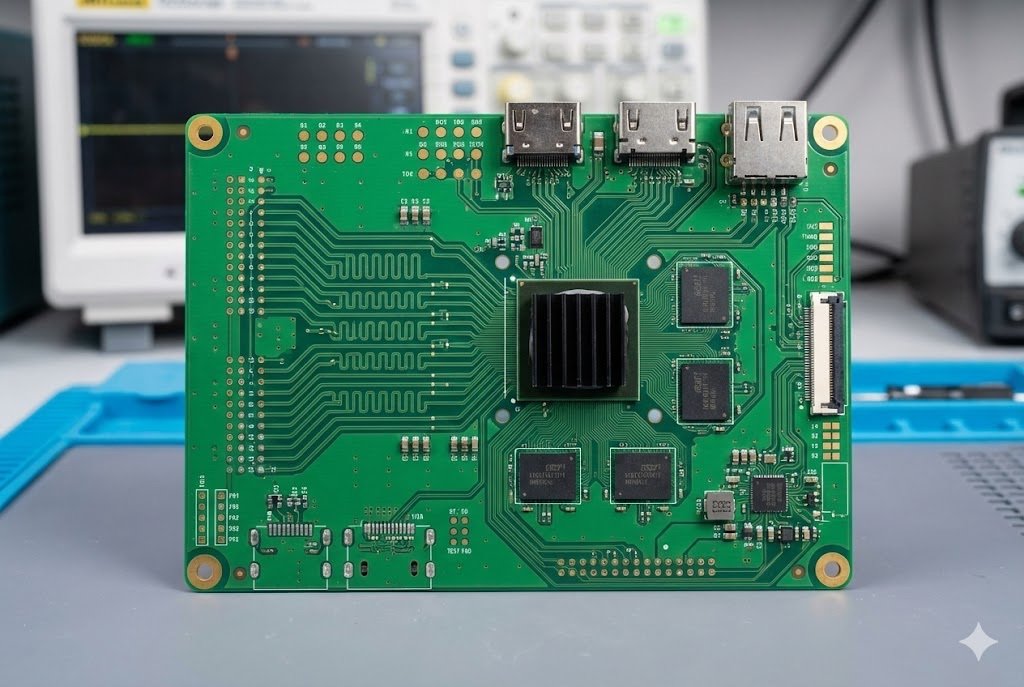
I once helped a customer who bought genuine Lontium chips15ps://www.restarframos.com/en/news/display-with-lontium)4 chips but still had "snow" on their screen. They blamed the chip. We looked at their board design. They had routed the high-speed HDMI traces right next to a noisy power regulator. The noise was killing the video signal.
Designing with high-speed video ICs requires critical thinking and attention to detail. Here are the pillars of a good video board design:
1. Impedance Control is King
HDMI signals are very fast. The traces on your board must act like a tuned pipe. If the width of the copper trace is wrong, the signal bounces back.
- Requirement: You usually need 100-ohm differential impedance.
- Action: Tell your PCB factory this requirement clearly. Do not let them guess.
2. EMI and Shielding
Converting signals creates radio noise. If your device is a medical monitor or a car display, you must pass strict EMI tests.
- Grounding: Use a solid ground plane. Do not cut the ground plane under the video chips.
- Placement: Place the HDMI connector and the chip close to each other. Long traces act like antennas.
3. Power Stability
Video chips are sensitive. If the voltage drops when the screen turns white (which uses more power), the chip might reset.
- Capacitors: Use plenty of decoupling capacitors16 near the power pins of the Realtek5 or Lontium4 chip.
4. Authenticity of Components
This is where I must stress our role at Nexcir. You can have the perfect design, but if the silicon inside the package is a recycled die or a reject, it will fail. We see "refurbished" chips sold as new in the market. They might have hidden damage from heat. Using 100% new and original parts from a trusted distributor like us eliminates variables when you are debugging your design.
Conclusion
To build reliable industrial displays, avoid cheap cables and design your boards with dedicated HDMI to LVDS converter chips from Lontium4 or Realtek5. Nexcir ensures you get these authentic components on time to keep your production running smoothly.
Understanding these ICs is crucial for ensuring reliable video signal conversion in industrial applications. ↩
Learn about the role of active components in enhancing video signal integrity and performance. ↩
Understanding LVDS can help you appreciate its advantages in high-speed data transmission. ↩
Explore Lontium's offerings to find cost-effective and reliable solutions for your video bridging needs. ↩
Discover the strengths of Realtek chips for display interfaces and their applications in various devices. ↩
Explore how proper timing and format ensure seamless communication between devices. ↩
Discover why passive cables may lead to performance issues and how to avoid them. ↩
Understanding TMDS is key to grasping how HDMI signals are transmitted. ↩
Learn about the importance of resolution scaling for optimal display performance. ↩
Learn about the critical role of Bridge ICs in ensuring compatibility between HDMI and LVDS. ↩
Understanding OEM requirements can help in selecting the right components for production. ↩
Explore the benefits of dual-port LVDS for driving larger, higher-resolution displays. ↩
Learn how proper PCB design can prevent signal integrity issues in video systems. ↩
Understanding EMI is crucial for designing reliable video systems that meet certification standards. ↩
Discover tips for avoiding counterfeit components that can jeopardize your designs. ↩
Learn how decoupling capacitors stabilize power supply for sensitive video chips. ↩