ATMEGA32A vs ATMEGA16A: Differences, Specs, Pin Compatibility, and Best Choice
Choosing between ATMEGA32A and ATMEGA16A is a common decision in embedded system design.
Both microcontrollers share the same architecture, peripherals, and pin layout — but differ in memory capacity.
The key difference:
ATMEGA32A offers 32KB Flash, while ATMEGA16A provides 16KB Flash.
👉 This directly affects firmware size, scalability, and long-term design flexibility.
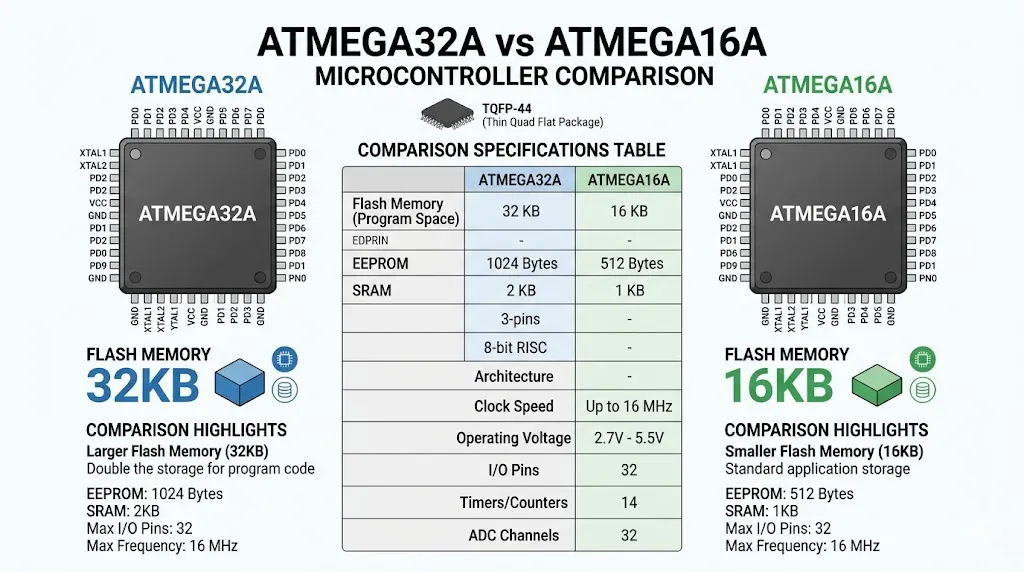
ATMEGA32A vs ATMEGA16A Quick Comparison
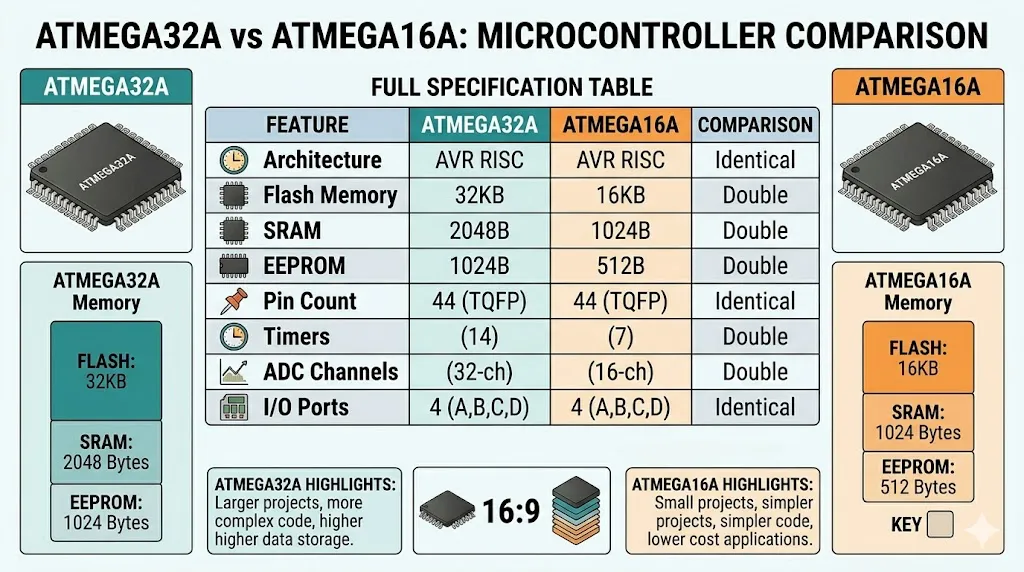
| Feature | ATMEGA16A | ATMEGA32A |
|---|---|---|
| Flash Memory | 16KB | 32KB |
| SRAM | 1KB | 2KB |
| EEPROM | 512B | 1KB |
| I/O Pins | 32 | 32 |
| Clock Speed | 16 MHz | 16 MHz |
| Pin Compatibility | Yes | Yes |
👉 Conclusion:
The difference between ATMEGA32A and ATMEGA16A is mainly memory size.
ATMEGA32A vs ATMEGA16A: What Is the Real Difference?
Many engineers compare ATMEGA32A vs ATMEGA16A specs before selecting a microcontroller.
The architecture is identical.
The peripherals are identical.
The only meaningful difference is memory.
- ATMEGA16A → cost-optimized
- ATMEGA32A → scalability-focused
👉 Choosing between ATMEGA16A vs ATMEGA32A depends on firmware size.
Peripheral and Interface Comparison (Important for Engineers)
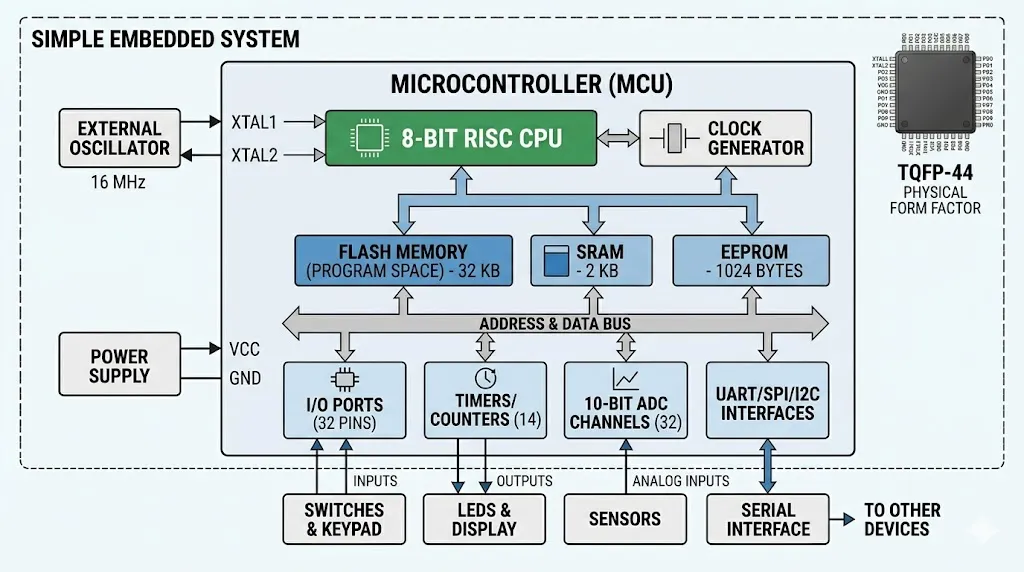
Both ATMEGA32A and ATMEGA16A include:
- 32 programmable I/O pins
- 3 timers (2×8-bit + 1×16-bit)
- 10-bit ADC (8 channels)
- USART, SPI, I2C communication
- PWM outputs
- Watchdog timer
👉 Key Insight:
Hardware design can remain exactly the same when switching between these two chips.
ATMEGA16A Overview
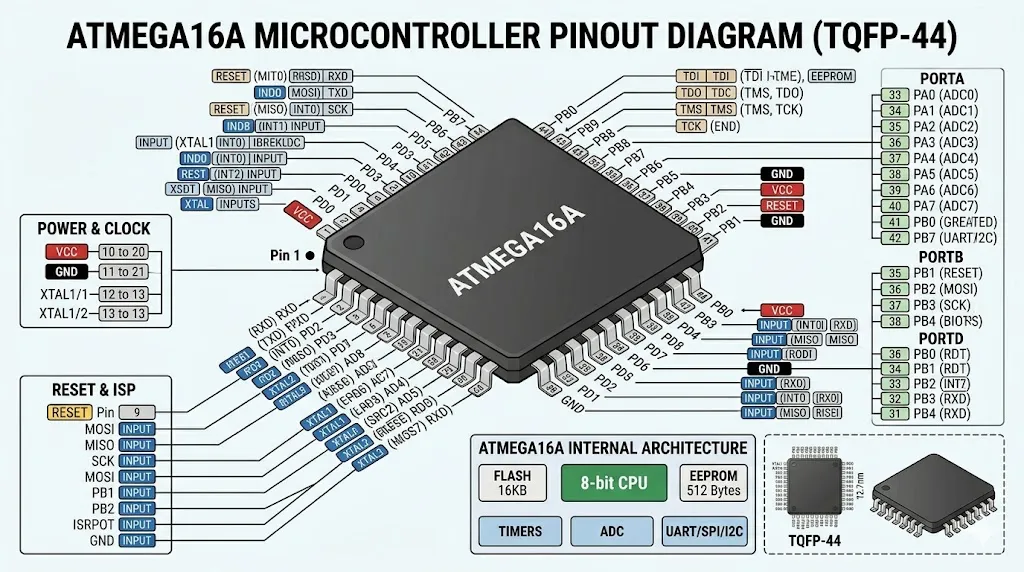
ATMEGA16A is ideal for simple and cost-sensitive applications.
Best For:
- Basic embedded systems
- Low-cost production
- Small firmware projects
👉 👉 Check ATMEGA16A price & stock
https://nexcir.com/hot-offer/atmega16a-au/
ATMEGA32A Overview
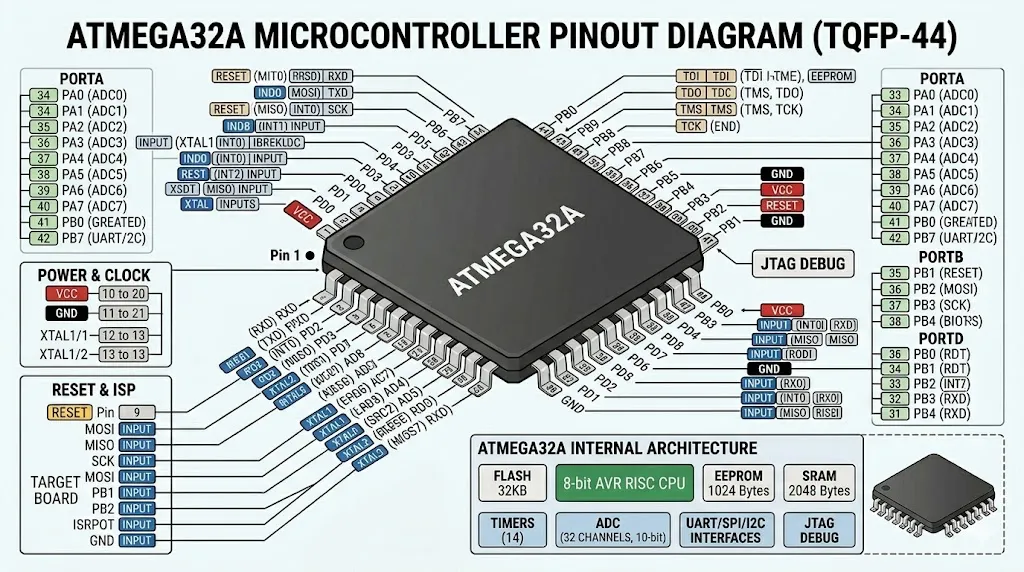
ATMEGA32A provides double memory for more complex designs.
Best For:
- Complex logic systems
- Expandable firmware
- Industrial applications
👉 👉 Check ATMEGA32A availability
https://nexcir.com/hot-offer/atmega32a-au/
When Should You Choose ATMEGA32A vs ATMEGA16A?
Choose ATMEGA16A if:
- Firmware fits within 16KB
- Cost is critical
- Design is simple
Choose ATMEGA32A if:
- Firmware exceeds 16KB
- Future upgrades are expected
- You want long-term scalability
Can ATMEGA16A Replace ATMEGA32A?
Yes — but only if your code size is small enough.
👉 Important:
- Pin-compatible ✔
- Same peripherals ✔
- Same performance ✔
❗ But:
- Limited Flash may cause failure
Upgrade Path: ATMEGA16A → ATMEGA32A
One major advantage:
👉 Drop-in upgrade (no PCB redesign)
This makes ATMEGA32A a safer long-term choice for production.
Design Considerations (Often Overlooked)
Engineers should consider:
- Flash usage growth over time
- Firmware update requirements
- Bootloader size
- Memory fragmentation
👉 Many projects start with ATMEGA16A and later migrate to ATMEGA32A.
🔥 Ready to Source ATMEGA32A or ATMEGA16A?
For production and procurement:
- 100% original and traceable components
- Global sourcing support
- Fast RFQ response
👉 👉 Get ATMEGA32A price now
https://nexcir.com/hot-offer/atmega32a-au/
👉 👉 Check ATMEGA16A availability
https://nexcir.com/hot-offer/atmega16a-au/
👉 👉 Request bulk quote
https://nexcir.com/contact
FAQ (Search Optimized)
What is the difference between ATMEGA32A and ATMEGA16A?
The main difference is Flash memory (32KB vs 16KB).
Are ATMEGA32A and ATMEGA16A interchangeable?
Yes, they are pin-compatible and share identical peripherals.
Which is better, ATMEGA32A or ATMEGA16A?
ATMEGA32A is better for larger firmware and future expansion.
Can I upgrade from ATMEGA16A to ATMEGA32A?
Yes, it is usually a drop-in replacement.
Conclusion
ATMEGA32A and ATMEGA16A are architecturally identical.
- Choose ATMEGA16A for cost-sensitive designs
- Choose ATMEGA32A for scalability
👉 In most modern designs, ATMEGA32A is the safer long-term choice.