Why Package Confirmation Belongs on the Purchasing Checklist
A line item can clear every electrical check on the drawing and still arrive as the wrong thing to build with, because the two attributes the buyer can verify without any test equipment are the two most often left unchecked: the package and the pin count. The A1121ELHLT-T is documented in a SOT-23W package with 3 pins. Those two facts belong on the purchasing checklist as separate confirmation points, alongside the voltage, current and temperature figures.
Package confirmation is also where procurement and engineering most often read the same document differently. Buyers work from the part number and the purchase order line; engineers work from the footprint on the board and the assembly drawing. Unless the two views are compared before the order is released, a mismatch stays invisible until someone has to reconcile a delivery against a bill of materials.
This guide covers six confirmation points in the order a team usually settles them: the ordering identity (part number, SOT-23W package, 3 pins), the operating voltage window, the supply and output current figures, the operating temperature window, the package-to-line questions for assembly, and a checklist to circulate before the order is raised. Every figure quoted below comes from the same documented set, so buyers and engineers are screening against one source.
Reading the Line Item: Part Number, SOT-23W Package and 3 Pins
The ordering identity for this device has three parts, and all three should appear on the line item: the part number A1121ELHLT-T, the SOT-23W package, and a pin count of 3.
The part number is the only field that identifies the device. Similar-looking numbers are different parts, and a number that differs by a character or a suffix must be screened as a separate item with its own documentation rather than treated as a variant of this one. Writing the number in full, every time, is the cheapest control available to a procurement team.
Record the package exactly as documented — SOT-23W — so that the same string appears on the purchase order, the goods-in record and the engineering bill of materials. A shortened or reworded package name becomes a different string for everyone downstream, and the person receiving the goods has no way to know which version is authoritative. The pin count of 3 is the third leg of the check: it is the number the footprint must accept and the number the assembly drawing must show.
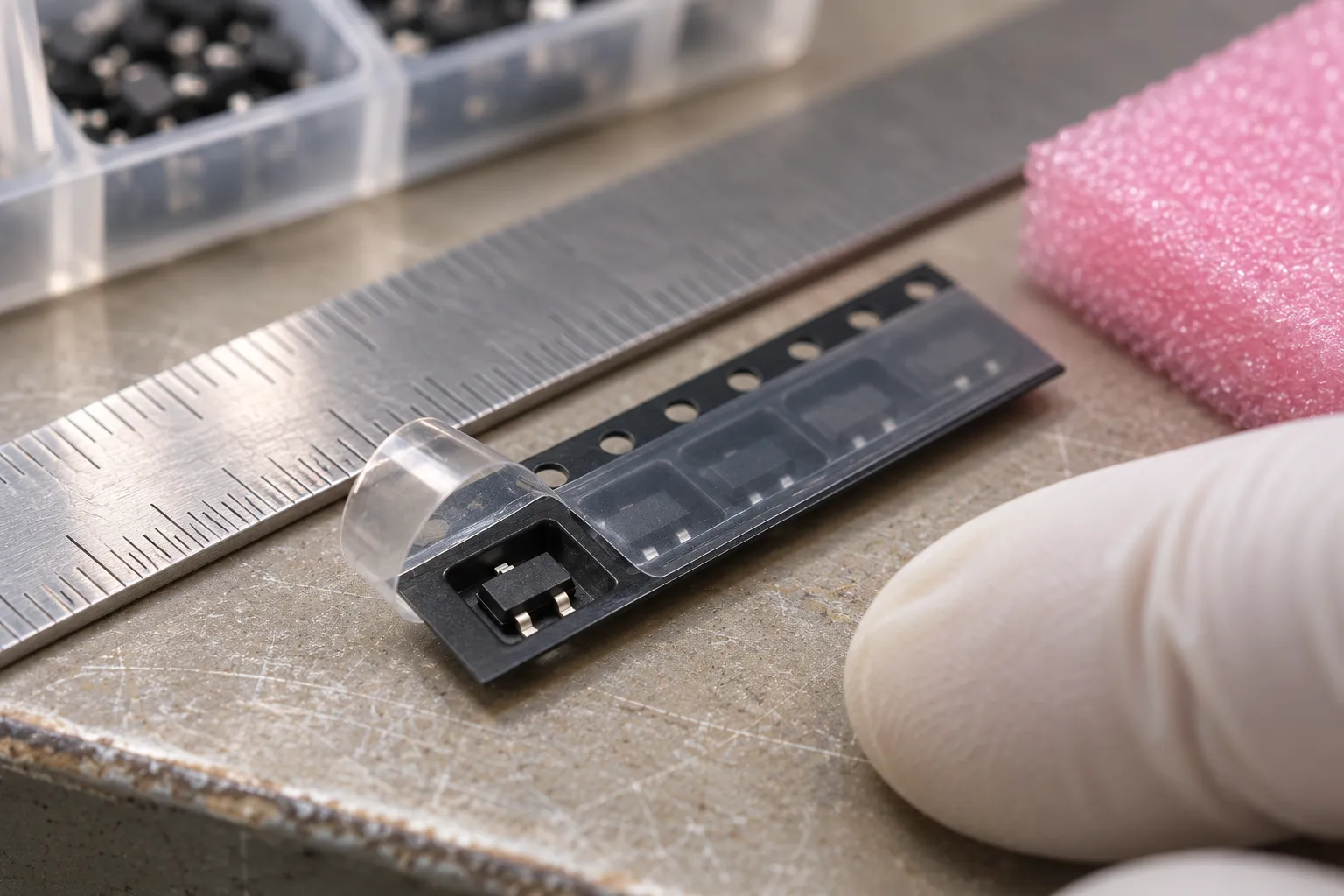
When the goods arrive, the physical item is a small body seated in carrier tape. Goods-in staff compare what is in the pocket against the three fields on the line item; anything that does not match all three stops there, before the reel reaches the line.
Matching the Board Supply Rail to the Operating Voltage Window
The documented operating voltage for this device is 3 – 24 V. The engineering question is narrow: does the rail that powers the device sit inside that window at both its nominal value and its worst-case tolerance?
A rail below the lower limit or above the upper limit lies outside the documented range, and that is a design decision to settle before an order is placed, not after. Ask the responsible engineer to name the rail on the schematic and state its tolerance in writing, then compare that statement against 3 – 24 V. Recording the rail and the comparison together means the confirmation survives staff changes and re-reviews.
For procurement, the value of this step is that it produces a document, not a conversation. A signed note that says which rail feeds the device and that the rail is inside the documented window gives the buyer something to attach to the requisition, and it gives the engineer a clear point at which to raise an objection. When a rail falls outside the window, the correct outcome is to hold the order and return the question to engineering — the documented figures used here do not extend beyond the operating window, and this guide does not substitute for the datasheet.
Current Budget: Supply Current and Output Current Checks
Two current figures are documented, and they answer different questions. The supply current is 4 mA: this is what the device itself draws and what must be added to the budget for the rail that feeds it. The output current is 25 mA: this is the documented figure for the output, and the load connected to that output has to be checked against it.
The two figures are frequently swapped in early budget spreadsheets because both appear on the same page. Keep them labelled. The supply current belongs in the rail calculation next to everything else drawing from that rail; the output current belongs in the load calculation on the output side. A rail budget built with the output figure in place of the supply figure, or the reverse, no longer reflects the device.
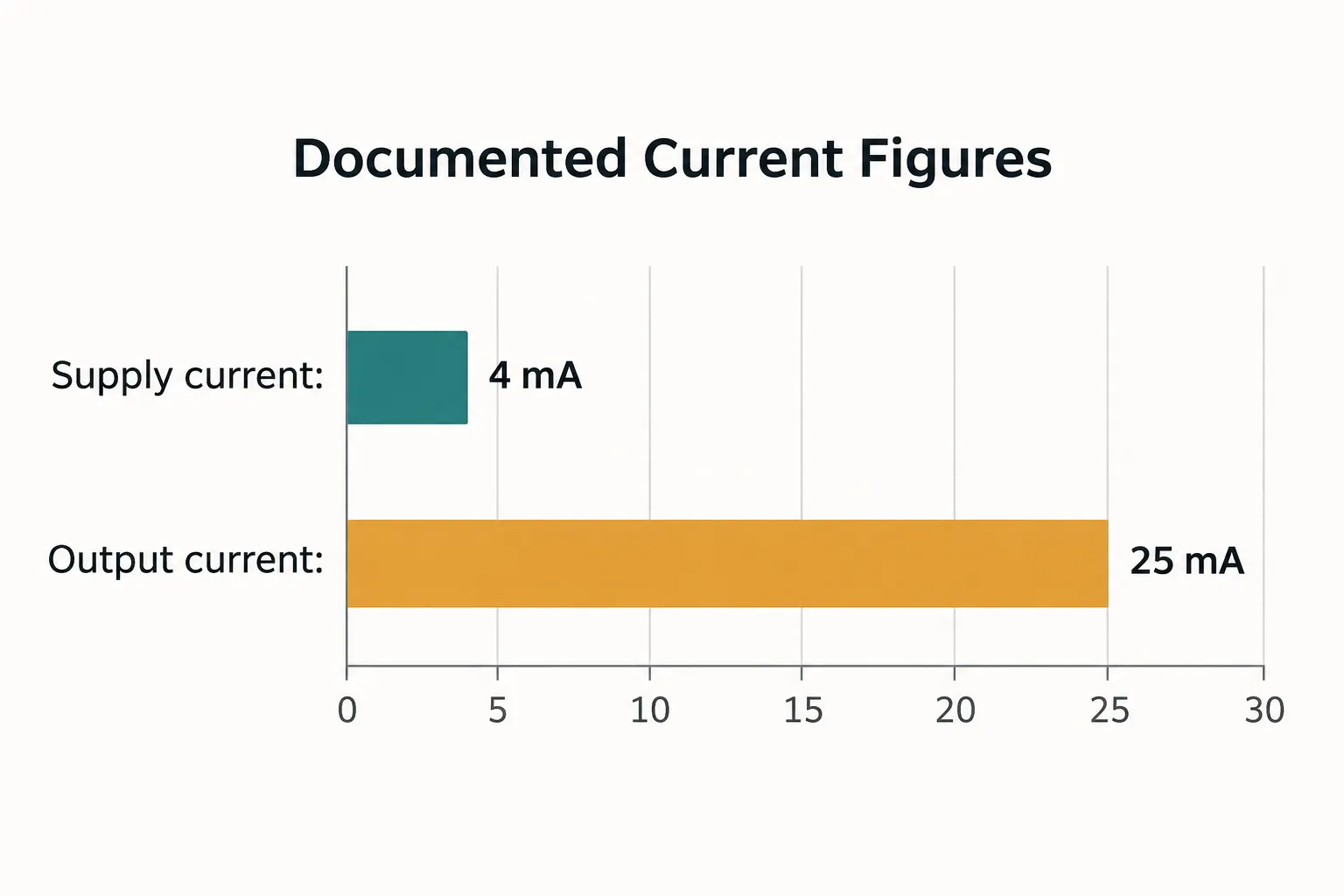
A practical way to close this section is to have the engineer list every load on the output and the total current those loads require, and to have the buyer confirm that the rail budget includes the 4 mA supply current as a line item. Both notes go with the requisition. If either total runs past its documented figure, the design returns to engineering before the order is released.
Operating Temperature: Matching the Documented Window to the Application
The documented operating temperature window for this device is –40 to 85 °C. The buyer's task is to obtain the temperature the end product will actually see and compare it with that window.
The figure that matters is the temperature at the device, not the temperature in the catalogue description of the enclosure. Ask the engineering team for the expected conditions inside the finished product, in writing, and file the answer with the requisition. Where the application environment sits inside –40 to 85 °C, the point can be closed. Where any part of the expected environment falls outside the window, the question goes back to engineering, because it is a design question rather than a purchasing one.
This is also a point where procurement should resist informal reassurance. A verbal statement that the product "runs cool" is not a confirmation; a written note that names the expected temperature at the device and compares it with –40 to 85 °C is. The same discipline applied to voltage and current keeps the whole confirmation set consistent, and it means any later review sees the same evidence the buyer saw.
Package-to-Line Fit: Questions for Assembly and Process Engineering
Package confirmation is not complete when the buyer has matched a string. It is complete when the people who run the line have said the SOT-23W body with 3 pins can be placed, reflowed, inspected and reworked in their process.
Put these questions to assembly and process engineering before the order is committed:
- Does the placement program already have a feeder and a nozzle defined for this body, or does one have to be created and qualified?
- Does the board footprint carry three pads, matching the documented pin count?
- Is the orientation convention agreed between the footprint and the orientation of the device in the carrier tape?
- How will inspection confirm that all three leads are correctly wetted, and does the inspection method exist today?
- What is the rework method for this body if a unit fails, and is the tooling on site?

The answers do not need to be elaborate, but they do need to be recorded. A process engineer who confirms the feeder, nozzle and footprint in writing has given procurement a defensible basis for release; a process engineer who has not been asked has given nothing.
Pre-Order Confirmation Checklist for Procurement
The table below consolidates the documented figures with the confirmation each one requires. Print it, attach it to the requisition, and have each owner initial the line they closed.
| Parameter | Documented value | Confirmation before release |
|---|---|---|
| Part number | A1121ELHLT-T | Same string on the bill of materials, the requisition and the purchase order |
| Package | SOT-23W | Written in full on the purchase order and the goods-in record |
| Pin count | 3 | Board footprint carries three pads; assembly agrees |
| Operating voltage | 3 – 24 V | Engineer names the supply rail and confirms it sits inside the window |
| Supply current | 4 mA | Included as a line item in the rail current budget |
| Output current | 25 mA | Every load on the output checked against the documented figure |
| Operating temperature | –40 to 85 °C | Expected temperature at the device confirmed inside the window |
Three sign-offs close the checklist: engineering owns the voltage, current and temperature lines; assembly and process engineering own the package-to-line questions; procurement owns the identity lines and holds the order until the others are returned. If any line comes back negative or unanswered, the order waits — a delayed release is cheaper than a line stoppage.
How to Request a Quote
When the checklist is complete, send NexCir the confirmed requirement so a quotation can be prepared against it. Include the part number A1121ELHLT-T, the SOT-23W package and the pin count of 3 exactly as they appear on your documentation, together with the quantity you need and any reference your team uses for the project.
Attaching the completed checklist helps. It tells us which confirmation points your team has already closed and which ones your engineering group owns, so any question that comes back is a specific question about a specific line rather than a general query about the part. Where your requirement is still being finalised, say so in the request and identify the open points — a quotation requested against a partly confirmed requirement is easier to revise than one built on assumptions.
Requests are handled by the NexCir team against the requirement you provide. Contact us with the confirmed details and we will respond to the quotation request.